Help your members do business internationally.
Give members market information, business connections and practical support for export and expansion.
- Member directory
- Member introductions
- Trade mission support
Members choose what they share with the chamber.

What your chamber controls
A vouch that says whose it is.
A vouch names your chamber
Nothing publishes itself. When you publish a pair you confirmed, the introduction carries your chamber’s name as the one who matched it.
A member’s workspace stays theirs
Contact details reach the chamber only where a member consented to share them, and a member browsing the roster gets none at all.
Corridor figures name their source
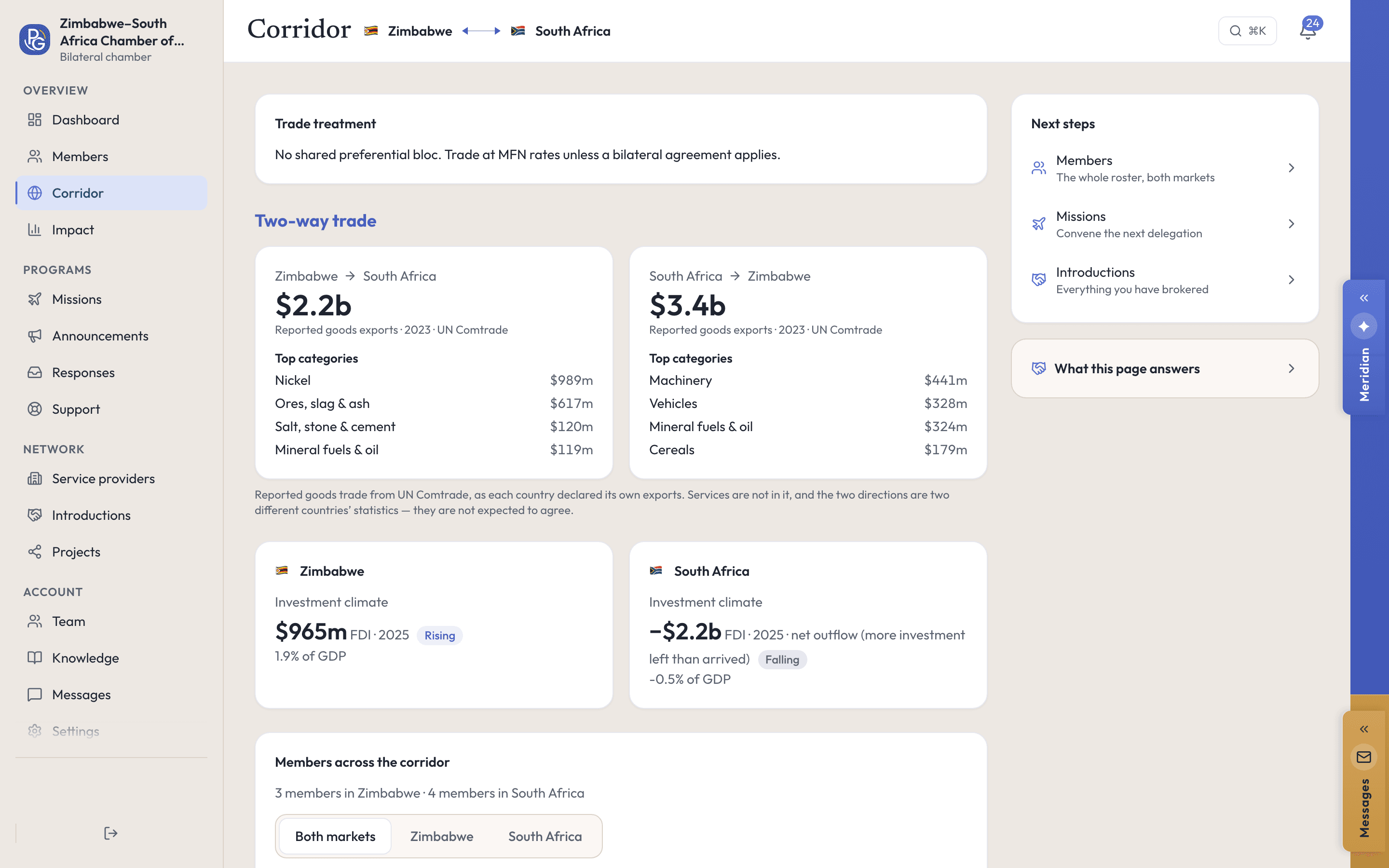
Two-way trade comes from UN Comtrade for the year the card names. A direction with nothing reported says so rather than printing a zero.
Watch it work
Turn your membership into a cross-border network.
The corridor page shows trade both ways between your two markets, from UN Comtrade, beside the members you have on each side.
Real screens, recorded in our demo workspace with invented Zimbabwean companies. No sound needed.
How it works
Connect members on both sides of the market.
Step 1: See who your members are
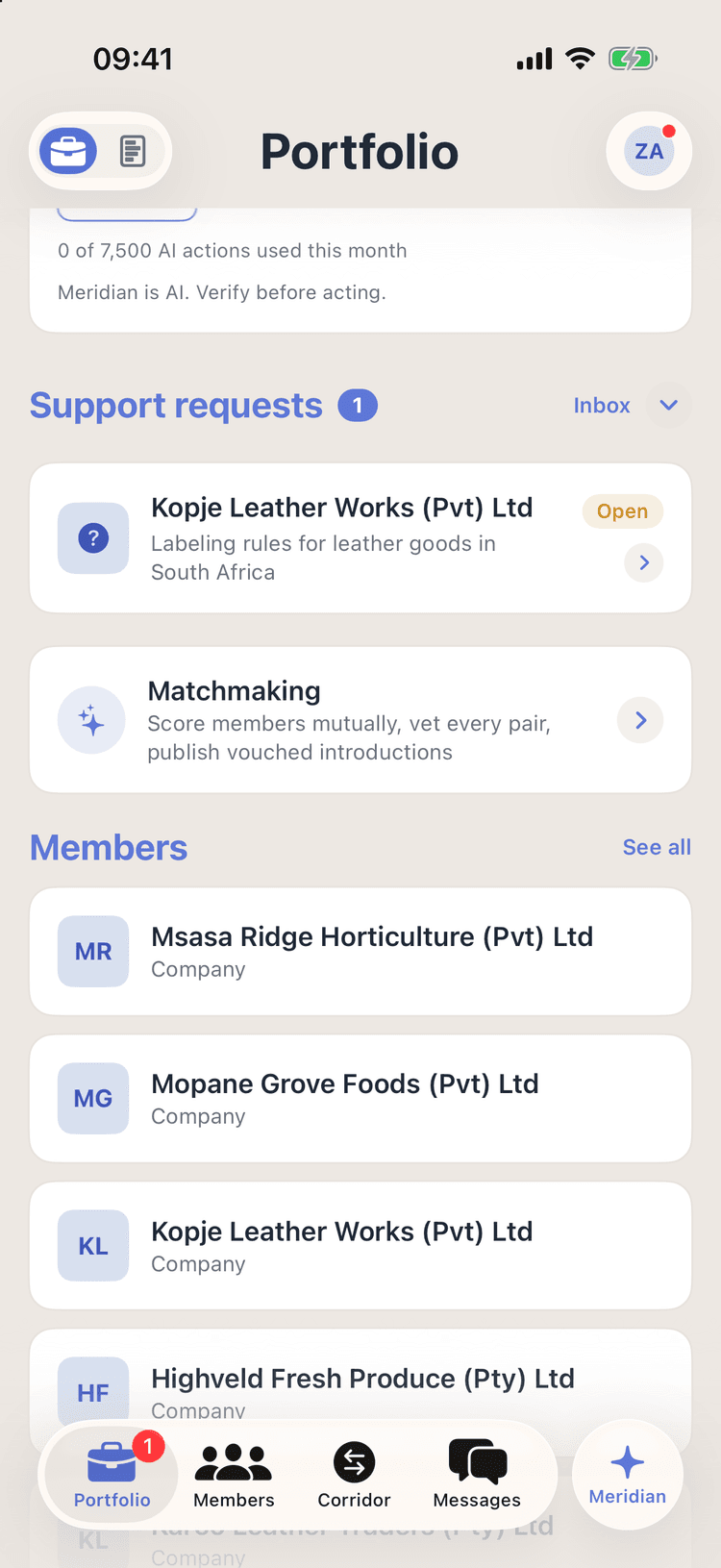
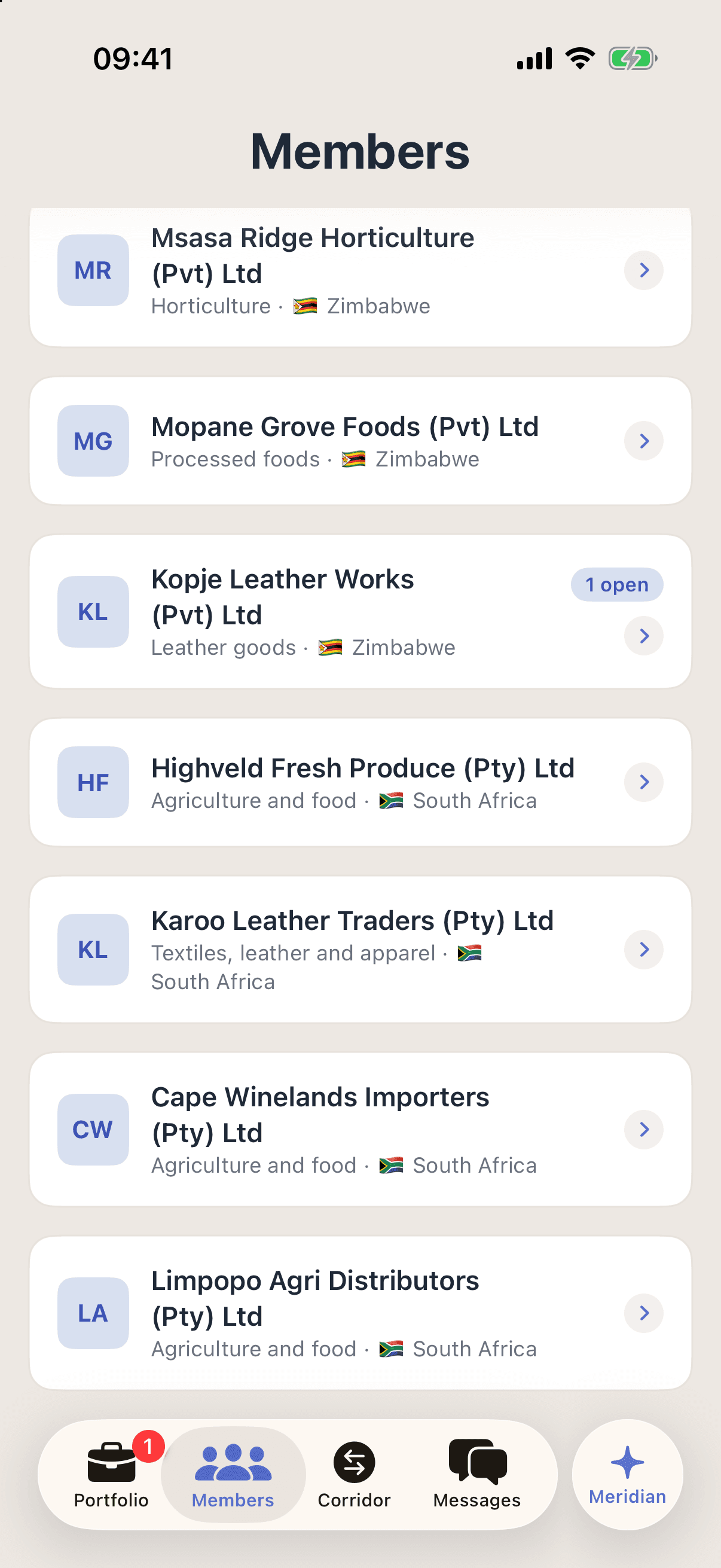
One roster for both sides of the corridor, each member’s sector and market, and a badge where something of theirs is open.
Step 2: Show what the chamber delivered
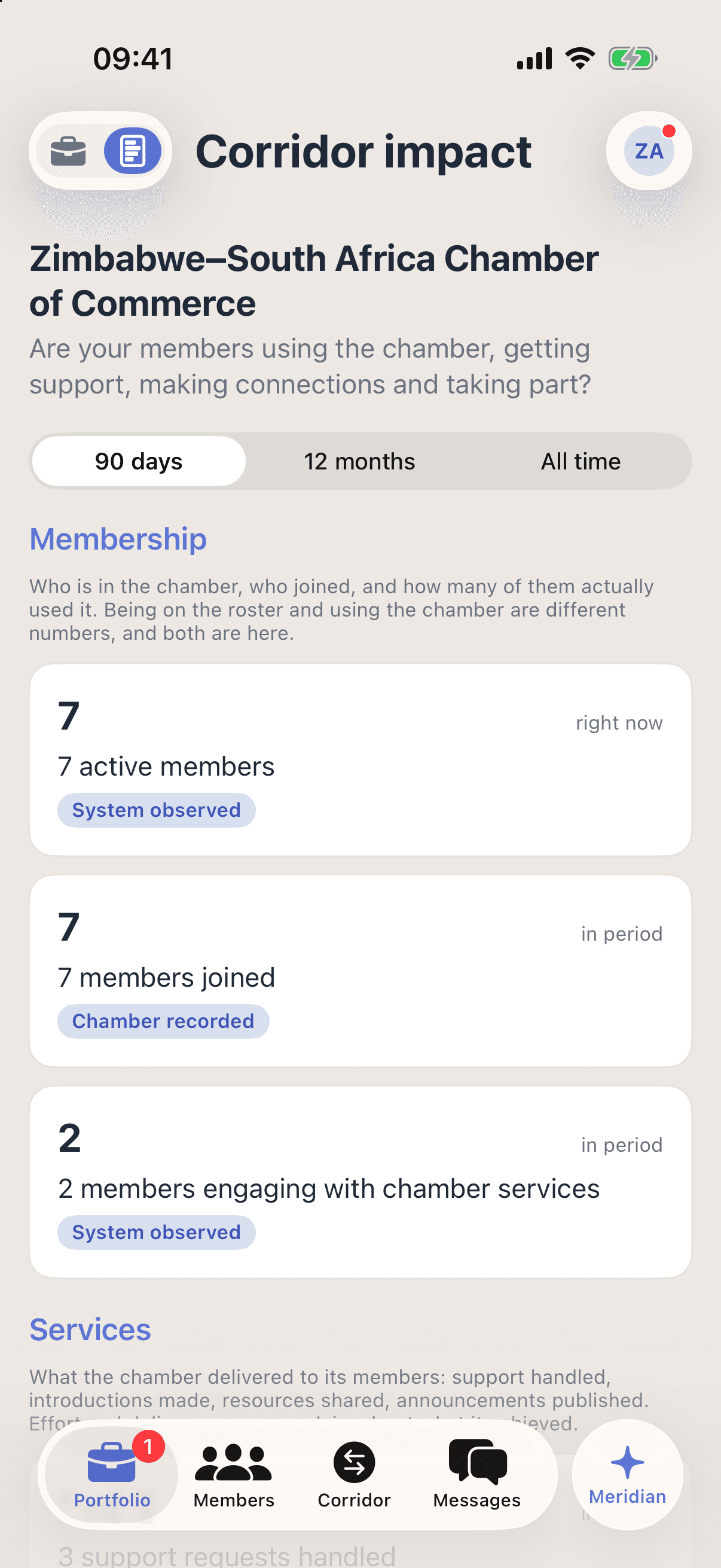
An impact report built from your own records: who joined, who used the chamber, the support handled, introductions made and resources shared. Effort and delivery, never a claim about what it achieved.
Step 3: Who is coming, counted rather than guessed
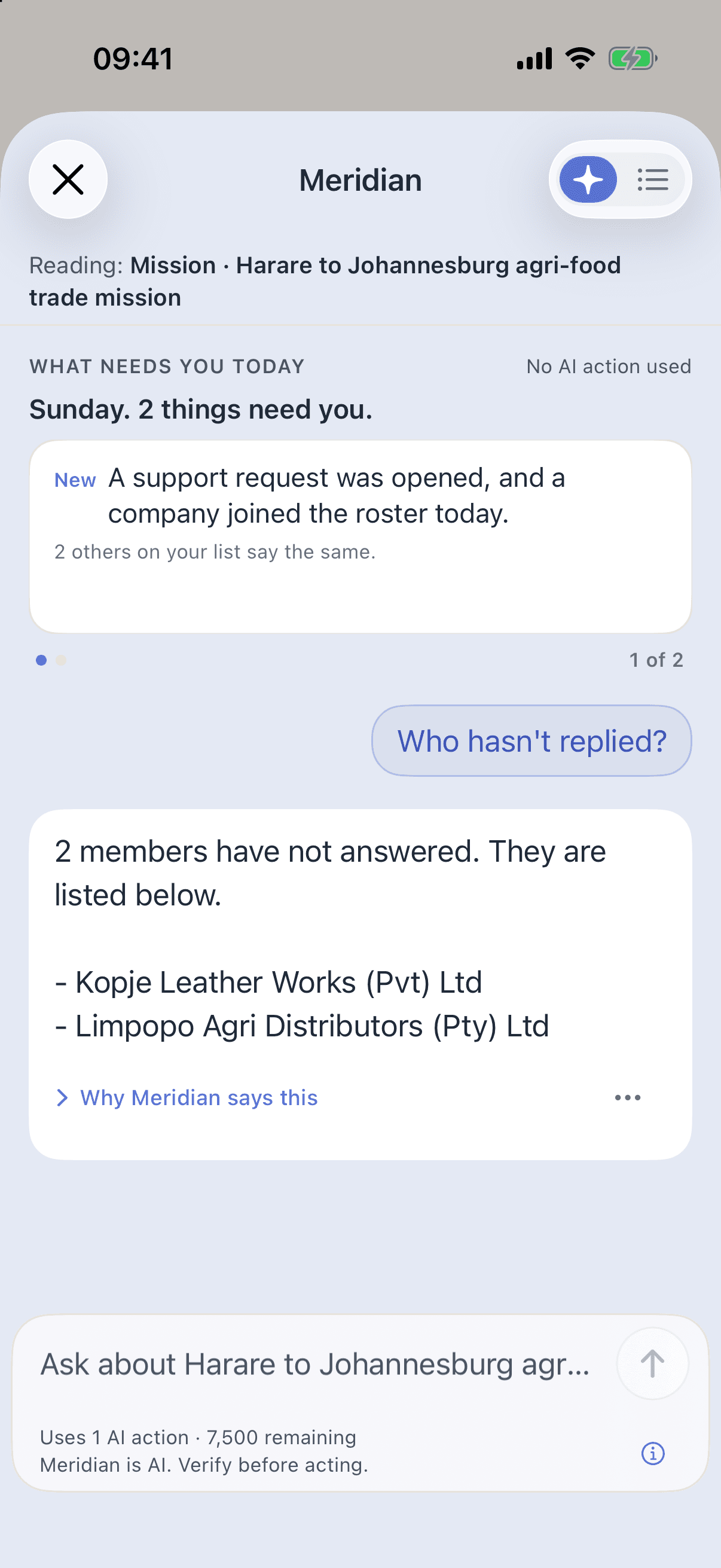
Members answer going, maybe, declined or waitlist from their own app. Asking Meridian who has not replied costs no AI action: the answer is counted from the RSVPs, not generated.
Institutional Meridian
An assistant that already knows the membership.
Institutional Meridian reads your own roster, missions, support queue and corridor, so your staff never re-explain who the members are. It gives the counted figures first, and names what is not there yet instead of filling the gap.
Ask
- Who hasn’t replied?· No AI action used
- Where does this mission stand?
- Brief the corridor
Do
Draft the invitation
Which members should be on it? — matched against your roster
File the note — saved on approval, undoable
Every card shows what an answer costs before you press it, and “Who hasn’t replied?” costs nothing: it is counted, not generated. It runs on Promote:Global’s EU-resident AI. Meridian is AI. Verify before acting.
Give your members practical international support.
Tell us about your chamber, your members and the markets you work with.
Group license, offered as a member benefit
Custom, by membership size. Members get the full app for export and expansion.
- After you book · 1Pick a time, and tell us about your membership and the markets it works.
- After you book · 2We walk you through the console first, and scope the pilot second.
- After you book · 3Members join with your invite code once the license is in place.
Or email us at hello@promoteglobal.org