Sample project
Fresh blueberries from Zimbabwe to South Africa.
One export project, followed through Promote:Global from the first product to the next action, in six screens.
Sample project · Illustrative data
Real screens from our demo workspace, taken in October 2026. The company, Msasa Ridge Horticulture, and its projects are invented. Trade figures such as imports and duty rates are what the product returned at the time, with their source and year, and may have changed since. Your own project uses current data.
Start
Add what you sell
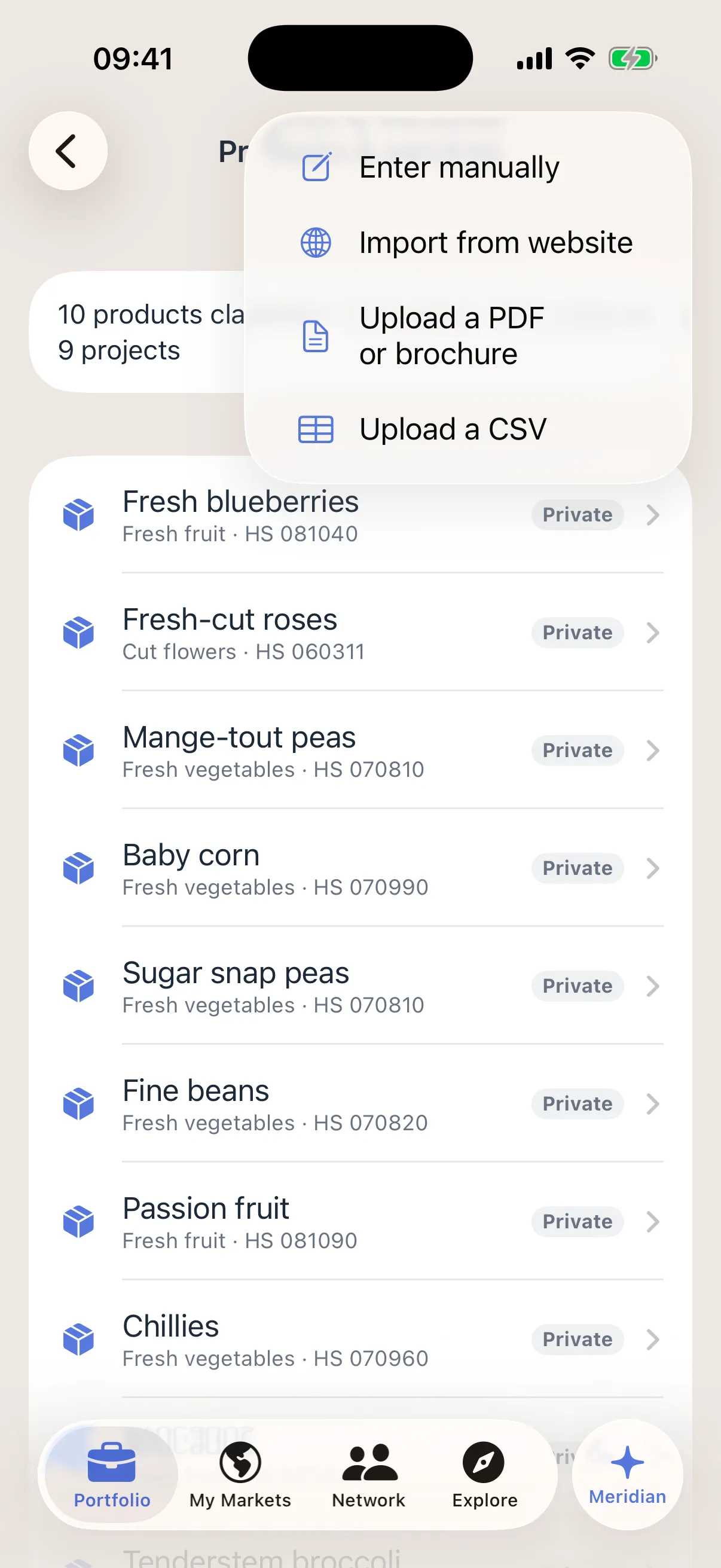
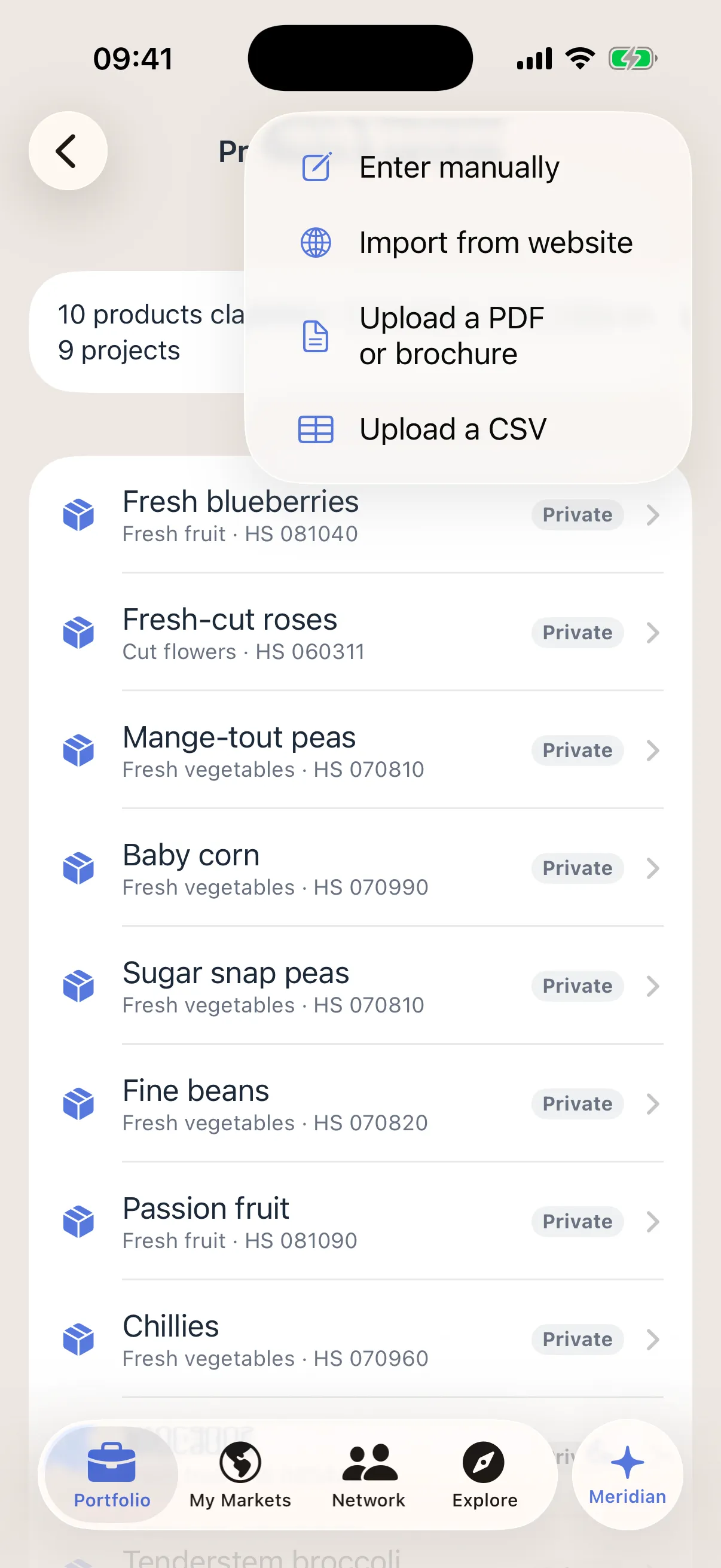
Msasa Ridge adds its products once: by hand, from its website, from a PDF or brochure, or from a spreadsheet.
Each product carries a trade code (HS code), which the company confirms. Promote:Global uses it to look up demand, duties and rules.
What to notice
Products are private to the company unless it chooses to share them.
Discover
Find markets
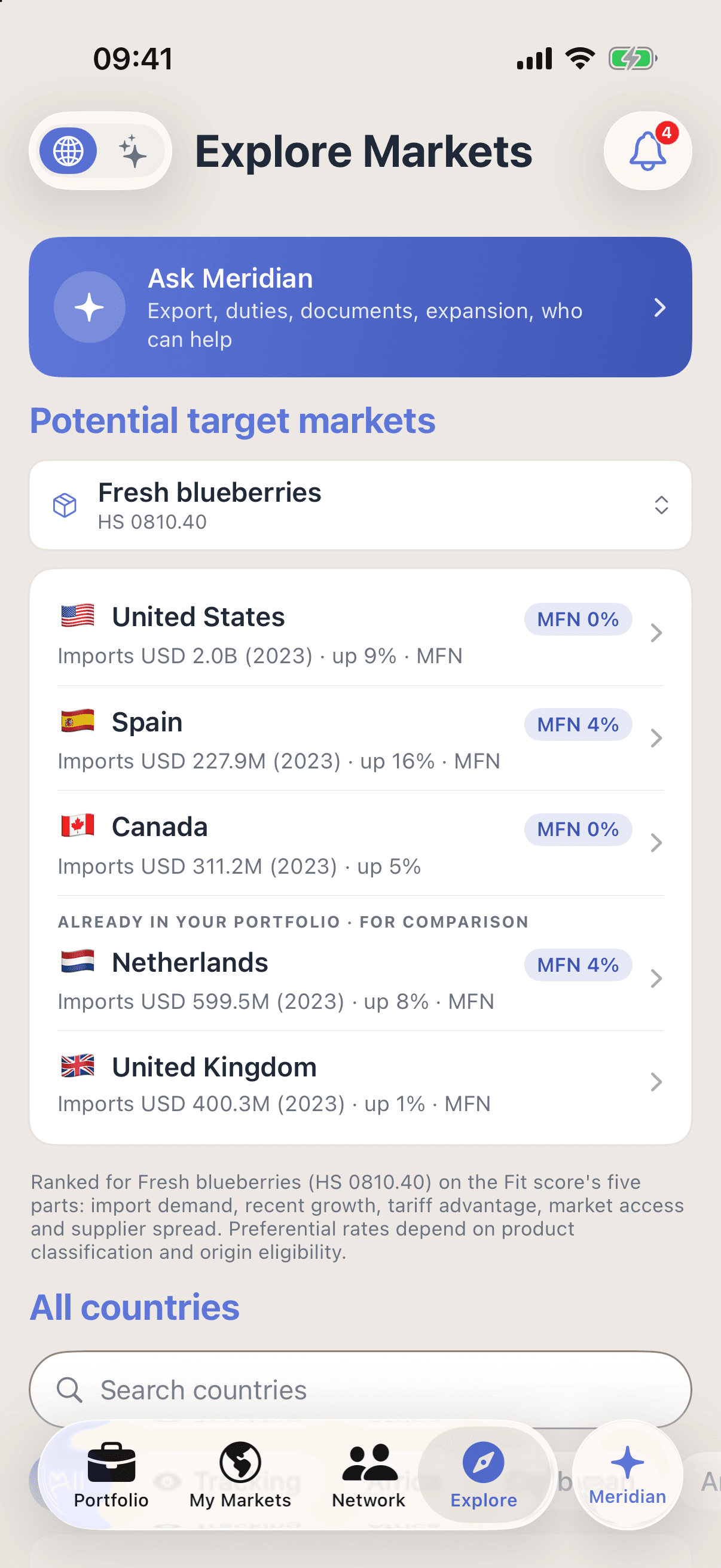
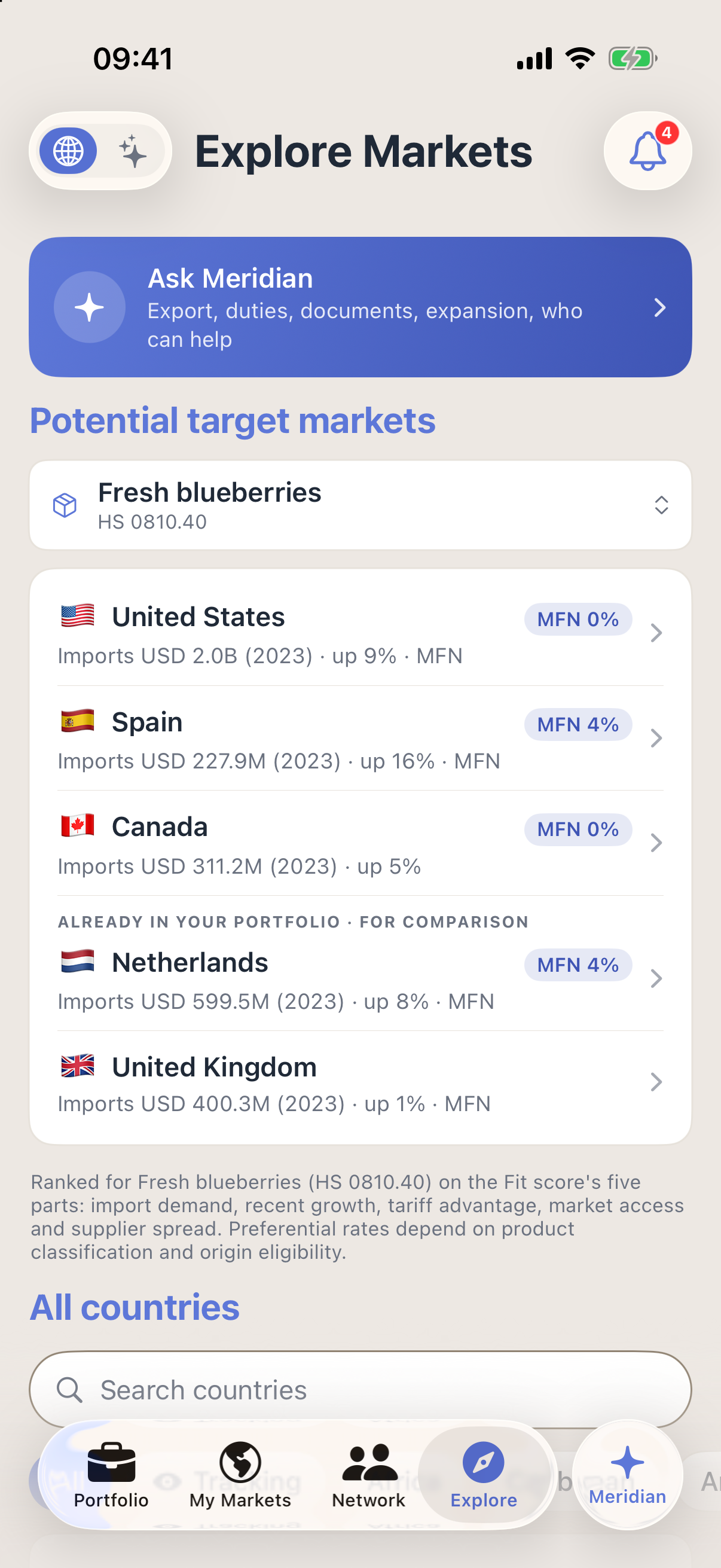
Explore Markets ranks countries for fresh blueberries (HS 0810.40) on import demand, recent growth and the duty that applies. Each figure carries its year: these import values are from 2023.
The project we follow takes fresh blueberries to South Africa, by road through Beitbridge.
What to notice
A ranking comes from public trade data. It is not an order, and preferential rates depend on the product’s classification and origin.
Prepare
Check the route
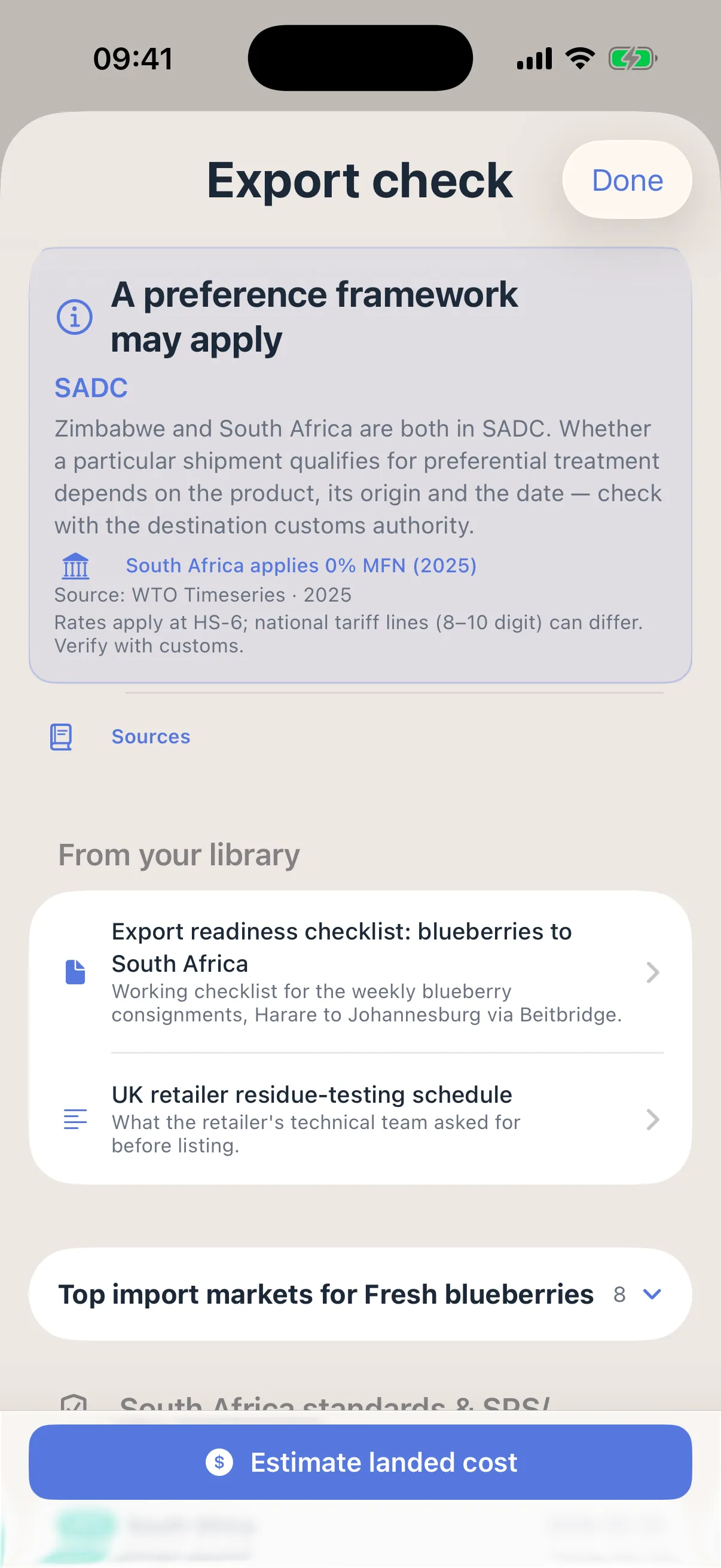
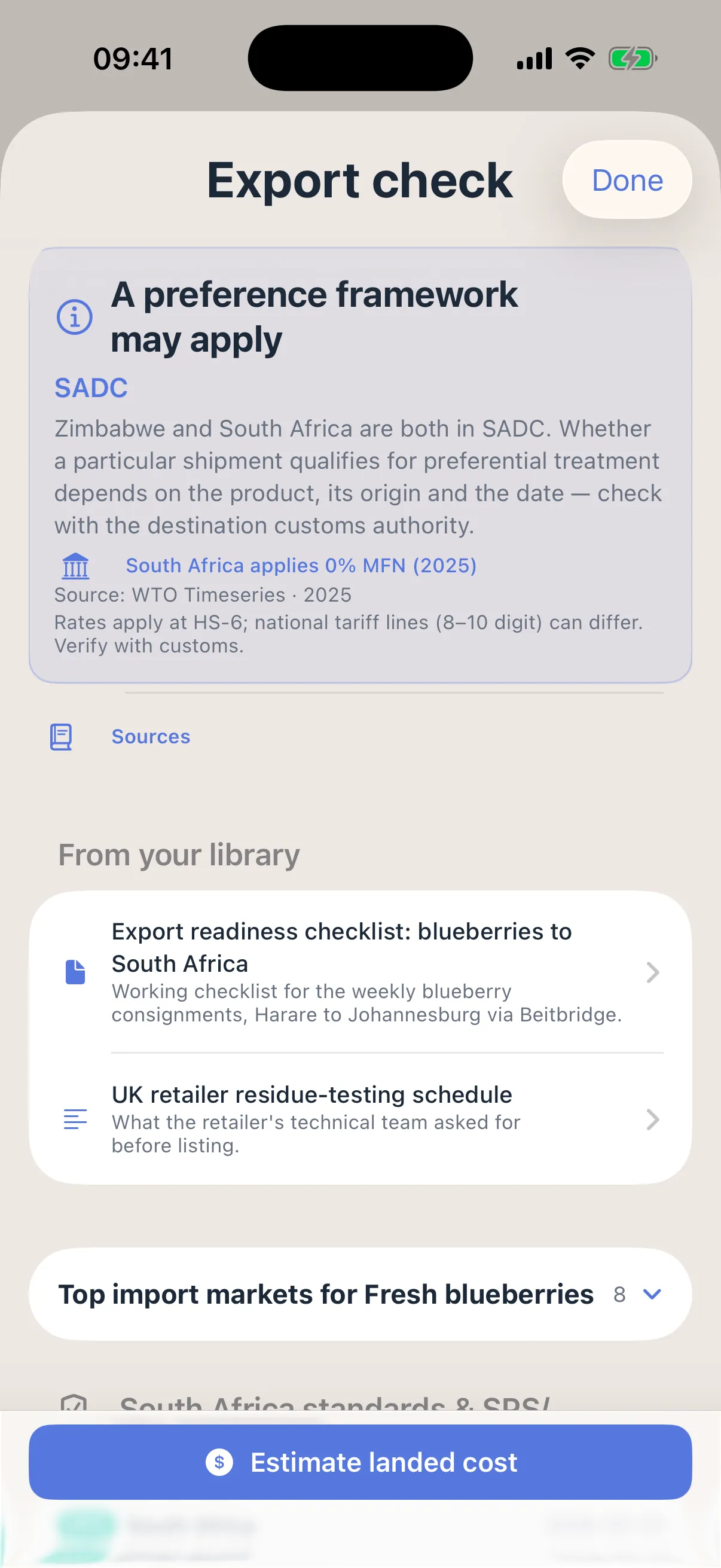
Export check reads the route. Zimbabwe and South Africa are both in SADC, so it says a preference framework may apply, and shows the duty South Africa applies: 0% MFN, from WTO Timeseries, 2025.
Below it sit the company’s own readiness checklist for this route, and the button to estimate the landed cost.
What to notice
The screen says it plainly: rates apply at the six-digit level, national tariff lines can differ, and the company should verify with customs.
Connect
Find connections
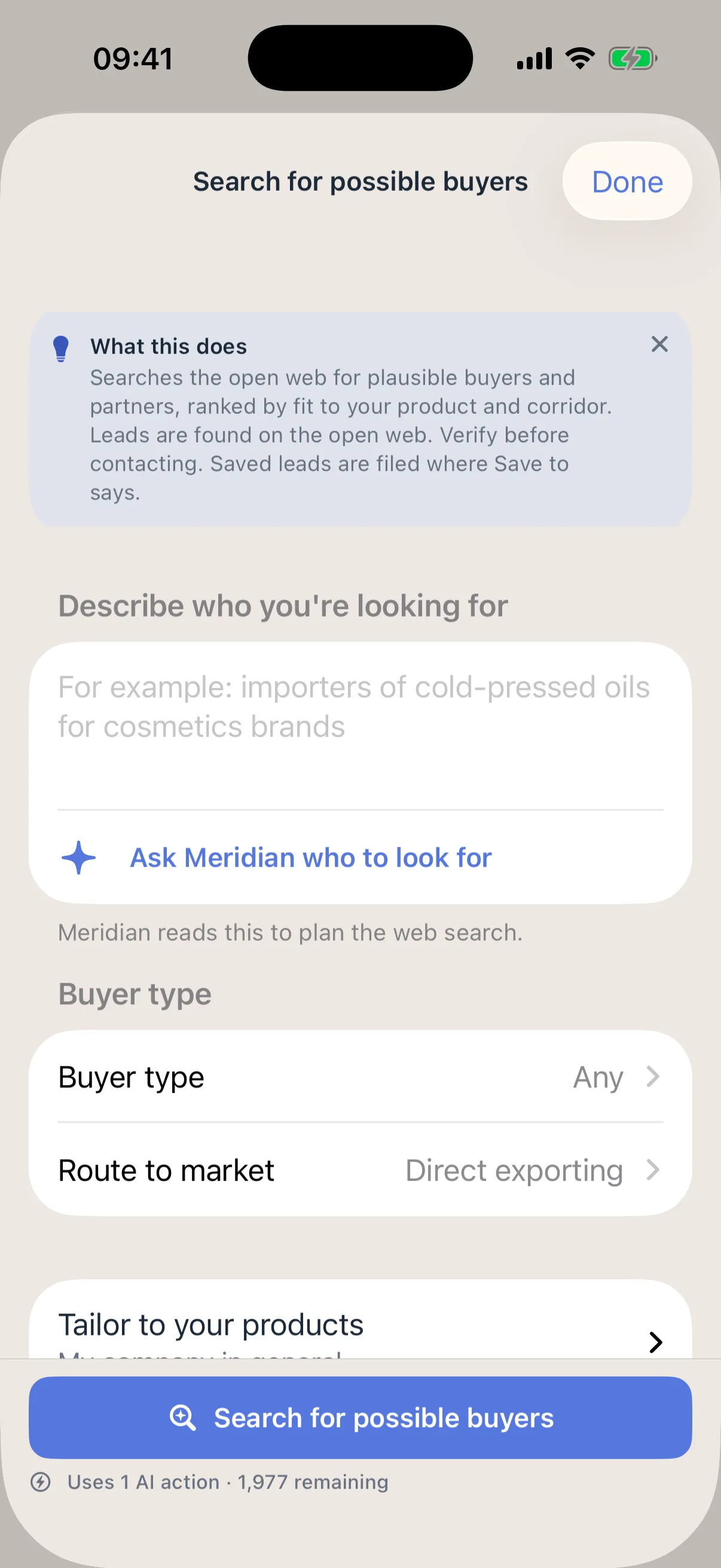
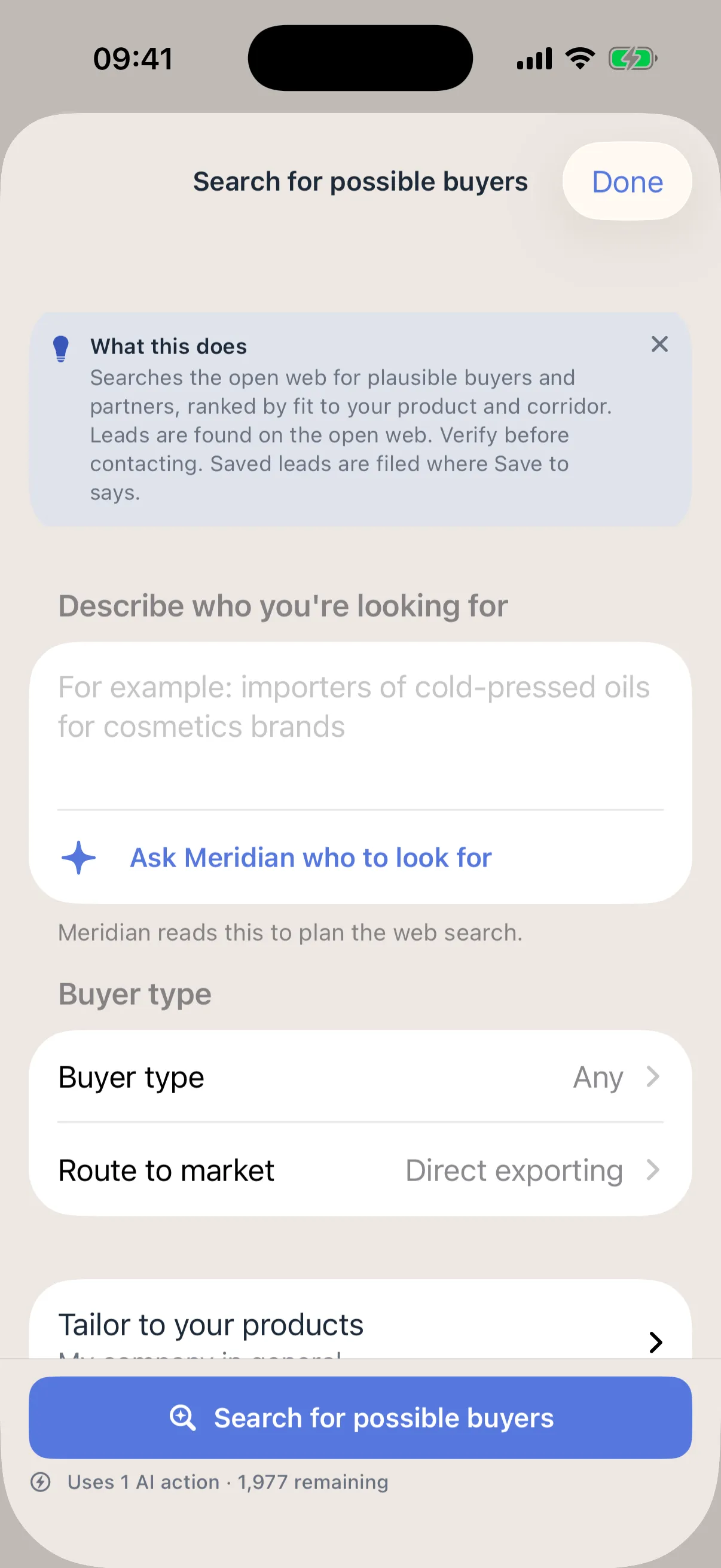
Search for possible buyers: the company describes who it is looking for, and the search looks on the open web for importers and partners that fit the product and route, ranked by fit. It costs one AI action, shown before it runs.
The same Network tab finds service providers by category, such as freight, cold chain and customs, and advisors. Firms write their own listings, and an introduction needs a yes on both sides.
What to notice
A result is a lead found on the open web, not a confirmed buyer. Nobody has checked it for you, so check it before you make contact.
Grow
Run the project
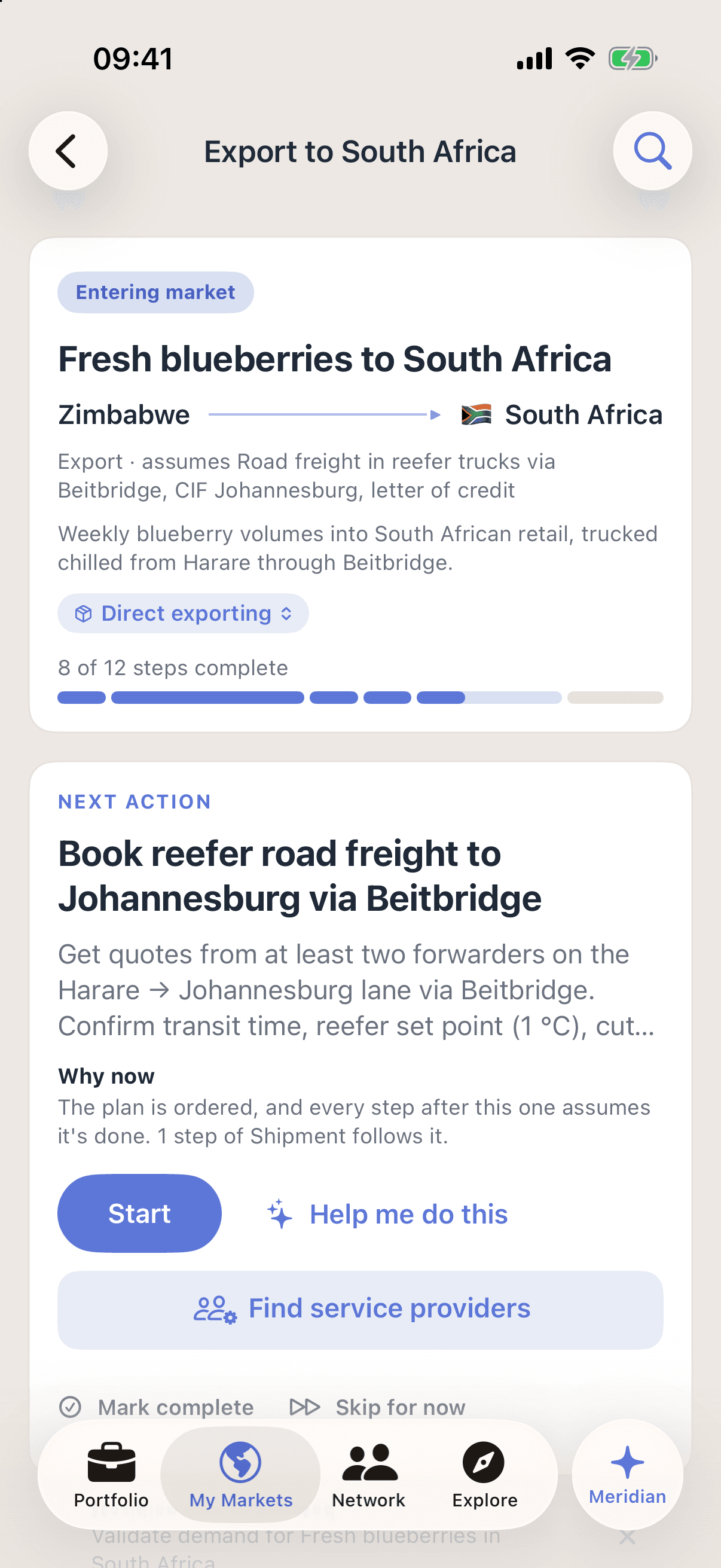
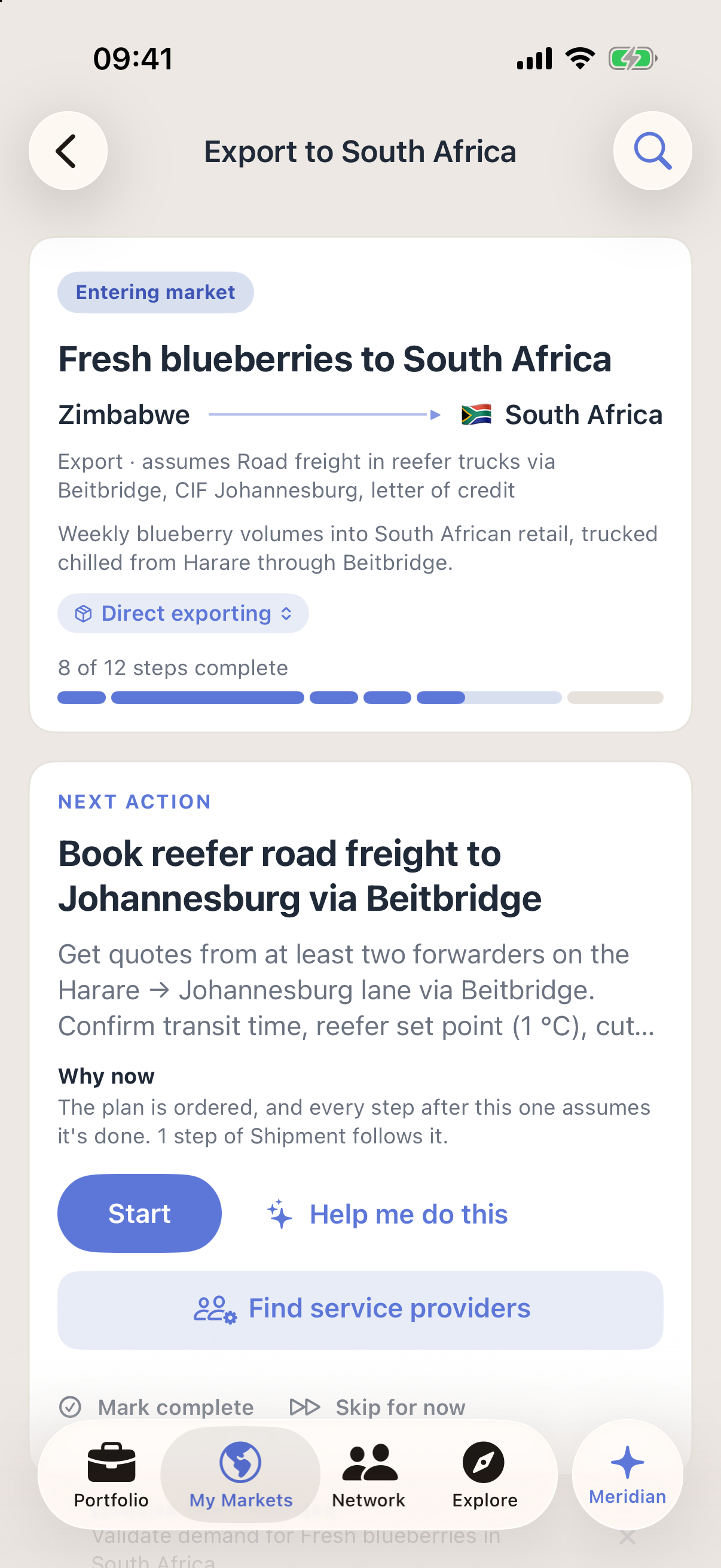
The project holds the route and its steps: an export by road in reefer trucks via Beitbridge, 8 of 12 steps done.
One next action leads the page, booking reefer road freight to Johannesburg, with Start, Help me do this, and Find service providers beside it.
What to notice
Each step can be marked complete or skipped, so the project shows what is done and what comes next.
Meridian, at every step
Ask, then approve
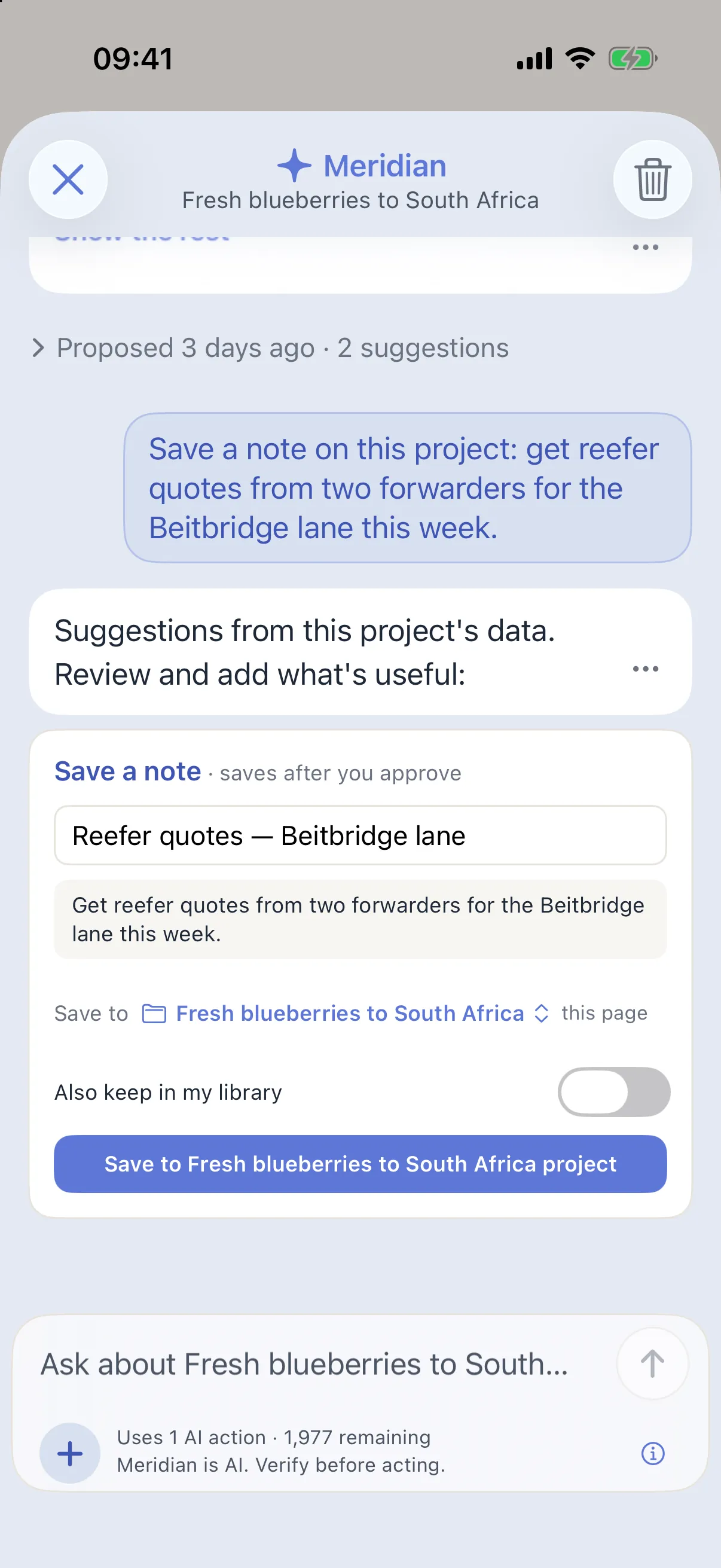
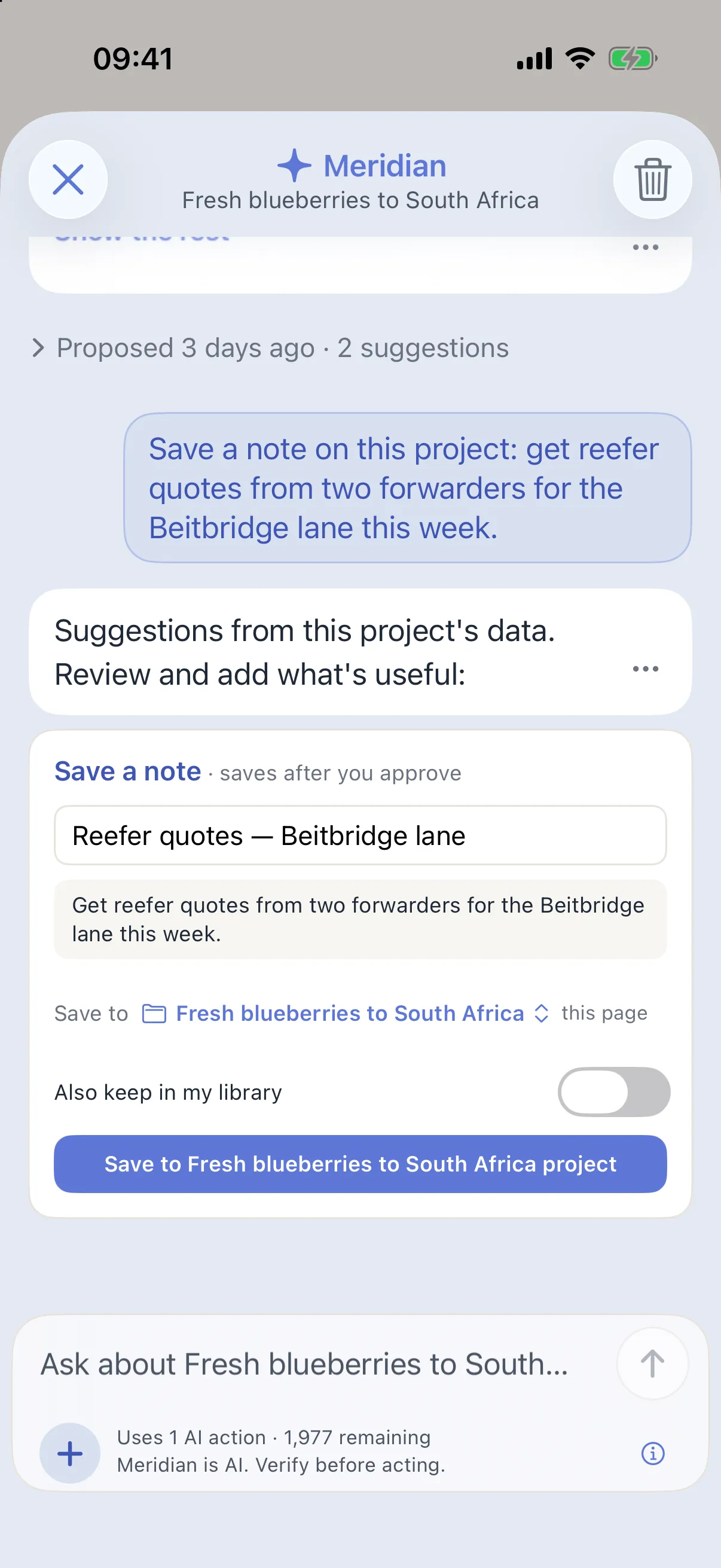
On the project, the company asks Meridian, the AI assistant, to save a note: get reefer quotes from two forwarders for the Beitbridge lane this week.
Meridian drafts the note and shows where it will go. Nothing is saved until the company presses Save.
What to notice
Meridian knows the whole project, from the product’s trade code to the steps still open. One request becomes real work: a note filed, the documents for the route listed, a next step added. The company approves each one.
Create your own export or expansion project.
Add your product, choose a market, and the project takes shape as you answer.
Start for freeNo credit card needed. See plans and prices