How to build a remote team abroad
Work with contractors and remote employees in other countries, without a company where they live.
For a company that wants people in other countries, often a few in each, without registering a company where they live, and is ready to treat each person under that country’s rules.
On this page: In short
In short
In short
To build a remote team abroad, classify each person under the law of the country they work from, engage genuine independents as contractors and employ everyone else, usually through an employer of record or a company of your own, assign intellectual property in writing, protect personal data that crosses borders, and check that no one creates a taxable presence for you1,2,3,4. Status is judged on how the work is actually done, not on what the contract calls it1.
The route in Promote:Global
Remote / distributed team · People-led
Commitment
Control
Risk
Rated 1 to 5, as the iPhone app rates every route when you choose one. The ratings are general, for the route itself: your own commitment, control and risk depend on your market, your product and your partners. Grows into: local hire via EOR.
When it fits
Is a remote team the right route?
A good fit when
- The work can be done remotely, and each person is either a genuine independent, delivering a defined result with their own tools, other clients and control over how the work is done, or will be employed1.
- The team is small and scattered, with a few people at most in any one country and nobody signing contracts for you.
- The time zones leave enough overlapping hours for the way your team works.
A poor fit when
- You want to engage someone as a contractor who will in fact work full time under your management, on your schedule and with your tools, for months or years: many countries treat that as employment whatever the contract says1. Working remotely is not the problem; the contractor label is, so employ them instead.
- A person will lead sales or conclude contracts for you in their country, which can create a permanent establishment for your company4.
- Personal data from Europe would reach people in countries without an adequacy decision, and you cannot put transfer safeguards in place3,5.
The people involved
Who’s involved and how they work together
- Your company to Contractor: A brief and agreed fees
- Contractor to Your company: Invoices and results
- Your company to Employer there: Salary cost and fees
- Employer there to Remote employee: Contract and payroll
- Remote employee to Your company: Work, under your direction
Step by step
How to build a remote team abroad, in 9 steps.
Each step says how companies do it, with sources, then what Promote:Global does there, or that the step is yours to do.
Discover
Step 1: Map the roles, the countries and the risks
List each person, or each planned hire: the country, the role, the hours, who directs the work, whether they negotiate or sign for you, what personal data they see, and who will own what they create. These are the facts each country’s status test looks at, so write them down before anyone starts1.
What this step produces
- A team register, one line per person
Common mistake: Treating every remote worker as one category, when the rules differ by person and by country.
You do this step yourself
The register is yours. The plan opens with Define the remote roles & timezone plan and Set a budget, which you tick when they are done, and Add a step puts your own steps on the project.
Prepare
Step 2: Classify each person under the local test
The International Labour Organization’s Recommendation 198 asks countries to decide employment status mainly on the facts of how work is done and paid, whatever the parties call it. Its indicators include working under another’s instructions and control, being part of the organization, set hours and place, continuity, tools supplied by the client, regular pay and no financial risk for the worker1. Some countries add presumptions: the ILO’s 2013 guide described the Netherlands presuming an employment contract after three months of regular work above a monthly minimum of hours, and Portugal presuming one where several indicators are present1. Check current law.
In the United States, the Department of Labor’s 2024 contractor rule is being replaced; a 2026 proposal built on control and the opportunity for profit or loss was still a proposal when last checked6. In the UK, HMRC’s Check Employment Status for Tax tool asks who decides what work is done and when, where and how, how the person is paid, and whether benefits or expenses are provided7.
What this step produces
- A written classification note for each person
Common mistake: Relying on the contract’s label instead of the facts1.
You do this step yourself
Promote:Global does not classify workers and gives no employment or tax advice. The plan has no classification step, so add one after Set a budget (see Make the plan fit this route, below), and keep each person’s note on it, where Meridian reads it when you ask about the project.
Prepare
Step 3: Choose how to engage each person
Remote working and contractor status are separate questions: a person who works from home in another country can be your employee. Genuine independents can invoice you as contractors. People who in substance work as employees should be employed: through an employer of record, a company of your own in that country, or, where the country allows it, by registering your company there as an employer1. A mixed team is normal; what matters is that each person’s arrangement matches the facts of their work.
What this step produces
- The chosen structure for each person
Common mistake: Keeping someone as a contractor to save cost when the facts point to employment1.
With Promote:Global
First hire compares hiring as a contractor, through an employer of record or through your own company, in up to four countries: the minimum wage with its year, an estimated employer cost, notice and leave rules, and a recommendation. It is free, says where it has no data, and is orientation, not payroll, tax or legal advice.
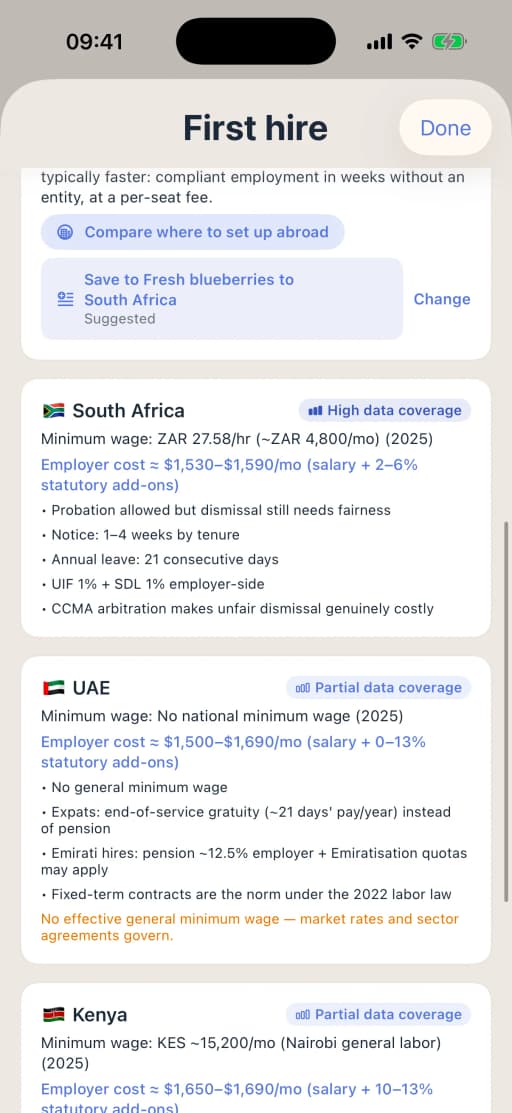
First hire on iPhone, country by country. Connect
Step 4: Source people and benchmark the pay
Write a short role profile, then search through your own network, job boards and local recruitment or staffing agencies. Benchmark the pay against the local market, and for anyone who will in fact work as an employee, budget an employee’s pay plus the employer’s costs, because the arrangement will follow the facts1.
What this step produces
- A role profile
- A pay benchmark for each country
Common mistake: Setting one global rate that ignores what each country’s market and minimums require.
With Promote:Global
On the project, Search for possible partners looks on the open web for recruitment and staffing agencies, ranked by fit, for 1 AI action, and each result is a lead to check. The plan’s Source candidates & benchmark pay step carries Find service providers, with firms that list themselves under recruitment and HR. Promote:Global does not recruit and does not check the firms.
Prepare
Step 5: Write the contract and assign the intellectual property
WIPO advises getting a written assignment of intellectual property from employees and contractors alike, even where local law gives an employer’s rights automatically: ownership often starts with the person who creates the work, an assignment may need registering, and contractors in particular may keep their rights unless the contract says otherwise. The assignment should record any exceptions and survive the end of the contract2.
What this step produces
- A services or employment agreement
- An intellectual property assignment
- Confidentiality terms
Common mistake: Using a home-country template that does not hold up in the person’s country, or skipping the assignment for contractors2.
You do this step yourself
Promote:Global drafts no contracts or assignments: your counsel adapts them to each country.
Prepare
Step 6: Protect personal data that crosses borders
If personal data of people in the European Economic Area is made available to someone outside it, the GDPR’s transfer rules apply. Use an adequacy decision where one exists; otherwise an approved safeguard, such as the Commission’s standard contractual clauses, backed by a transfer impact assessment, with the derogations as a last resort3,5. The European Data Protection Board gives the idea of making data available a broad meaning, and says remote access may count as a transfer3.
Give each person access only to the data their work needs, and set rules for devices and security.
What this step produces
- A data processing agreement
- Standard contractual clauses and a transfer impact assessment
- Access rules
Common mistake: Giving every remote worker wide access to customer data3.
You do this step yourself
Promote:Global gives no data-protection advice and drafts no clauses. Your counsel or data protection officer sets the transfer tools and the access rules.
Prepare
Step 7: Set up payments, tax and payroll
Contractors usually invoice you and pay their own taxes; employees need payroll withholding and social security, run by their local employer. How a person is paid is itself one of the questions a status test asks7. Check too whether your own country requires you to withhold tax on payments to foreign contractors, and whether VAT or a similar tax applies: this varies widely by country.
What this step produces
- A payment process
- Contractor invoices and tax forms
- Payroll records for employees
Common mistake: Paying everyone the same way through a payment app, with no records behind it.
With Promote:Global
The plan’s Set up contracting & payments step carries Find service providers, where firms list themselves under payroll and benefits, employer of record, and accounting and tax. Promote:Global runs no payroll and makes no payments.
Prepare
Step 8: Check tax presence, visas and where people work from
Under Article 5 of the OECD Model Tax Convention, a fixed place of business through which your company operates, or a person who habitually concludes contracts for it, can create a permanent establishment, unless that person is an independent agent acting in the ordinary course of their own business4. The OECD’s 2025 update clarifies when someone’s home can count as a place of business at the company’s disposal, which matters for employees working from home8.
When people travel or move, check the visa, tax and social security position first. Some countries offer remote-work visas: Estonia’s, for example, is for people working remotely for a foreign employer or mainly for foreign clients, allows a stay of up to 12 months, and makes the holder tax resident after more than 183 days in a 12-month period9.
What this step produces
- A permanent-establishment assessment for roles with sales or signing authority
- A travel and relocation policy
Common mistake: Letting someone work from a new country for months without checking the visa, the tax and the social security9.
You do this step yourself
Promote:Global gives no tax or immigration advice and applies for no visas. Your tax advisor reviews the roles; keep the memo as a note on the project.
Grow
Step 9: Run the team, and review each quarter
Agree overlapping hours, how the team communicates, device and security rules, expenses and how incidents are reported, within each country’s limits on working time and rest. Then review every quarter: reclassify when a contractor’s role grows, move to an employer of record or a company when one country’s team is big enough, and update when a law changes, as the US contractor rules are changing now6.
What this step produces
- A remote work policy
- A quarterly review log
Common mistake: Never revisiting a classification after the role has changed.
With Promote:Global
The plan ends with Set comms & review cadence and Track market traction, and the Revenue tracker adds up the revenue you log by market and by project, against each market’s goal. When one country’s team outgrows contracts, a project on the Local hire via EOR route gets that route’s own checklist.
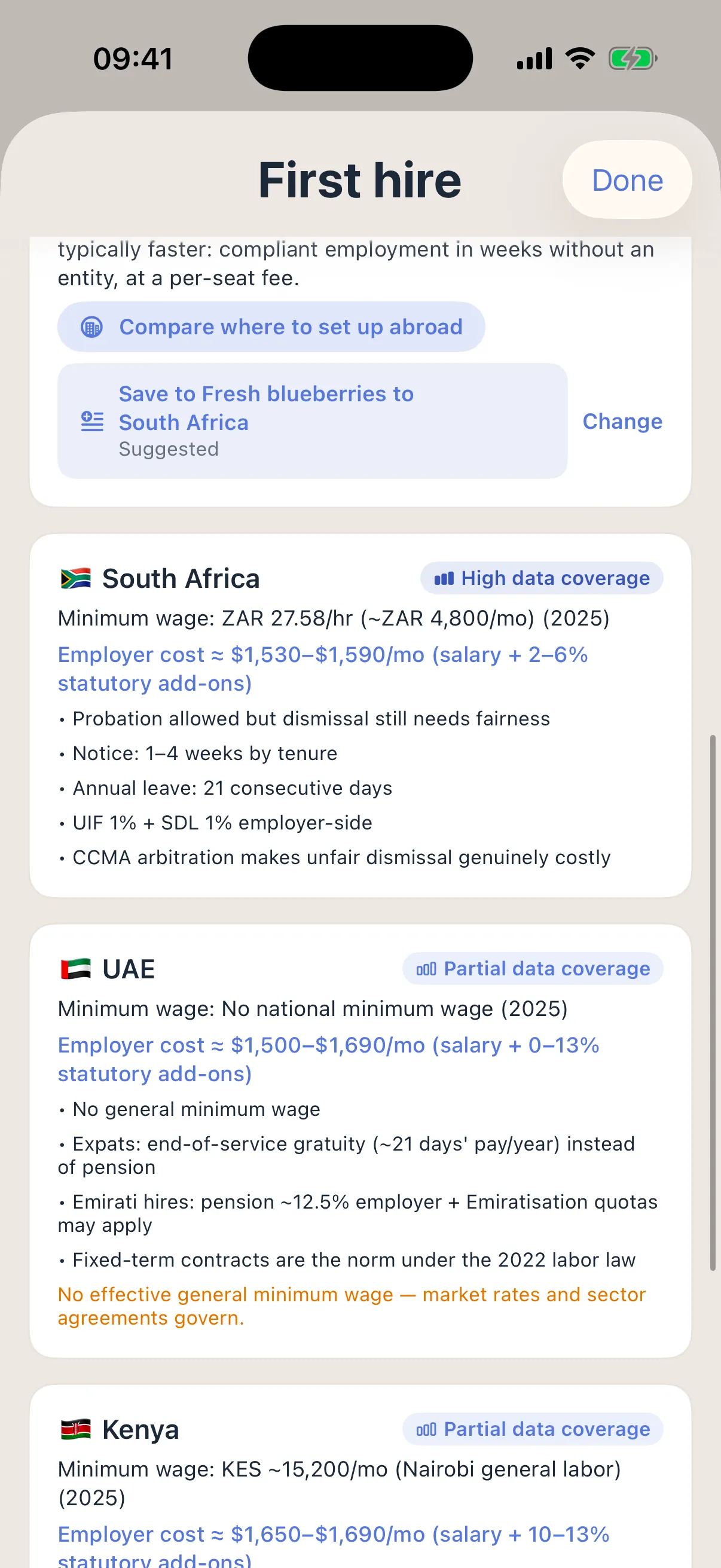
Your plan in Promote:Global
What a remote team project looks like.
Create a project, choose “Remote / distributed team” under “How are you entering?”, and Promote:Global writes this plan for your product and market. The web lists the route; on iPhone, the route advisor or Meridian sets it. You tick steps off, skip one for now or add your own.
Scope
- Define the remote roles & timezone plan
- Set a budget
Recruit
- Source candidates & benchmark payButton: Find service providers
Onboard
- Set up contracting & paymentsButton: Find service providers
- Provision tools & accessButton: Find service providers
Operate
- Set comms & review cadence
- Track market traction
The plan is the route’s own checklist, with no customs steps by default. Where the work moves goods across a border, such as equipment, ingredients, samples or branded supplies, add those steps yourself. You can add, reorder and skip steps. In your own project, each step names your product and your countries. Building the plan uses no AI action.
On a project, Search for possible partners looks on the open web for recruitment or staffing agencies, or for whoever you describe, ranked by fit, for 1 AI action. A result is a lead to check before you contact anyone, not a confirmed partner.
Make the plan fit this route
The plan for this route is its own checklist, from the roles and time zones to tracking traction, and it goes from sourcing straight to contracting, payments and access, with no step to classify each person, assign the intellectual property or set data access. Add these five, in this order, so each person is classified and protected before onboarding.
- Classify each person as a contractor or an employee under the local test (in Scope, after “Set a budget”)
- Choose how to engage each person (next, before “Source candidates & benchmark pay”)
- Get a written intellectual property assignment from each person (in Recruit, after “Source candidates & benchmark pay”)
- Set data-access rules and transfer safeguards (next, before “Set up contracting & payments”)
- Check tax presence, visas and where each person works from (in Onboard, after “Set up contracting & payments”, before “Provision tools & access”)
On the project, type a step into Add a step under the roadmap, or ask Meridian to propose them: a step Meridian proposes is added only when you accept its card.
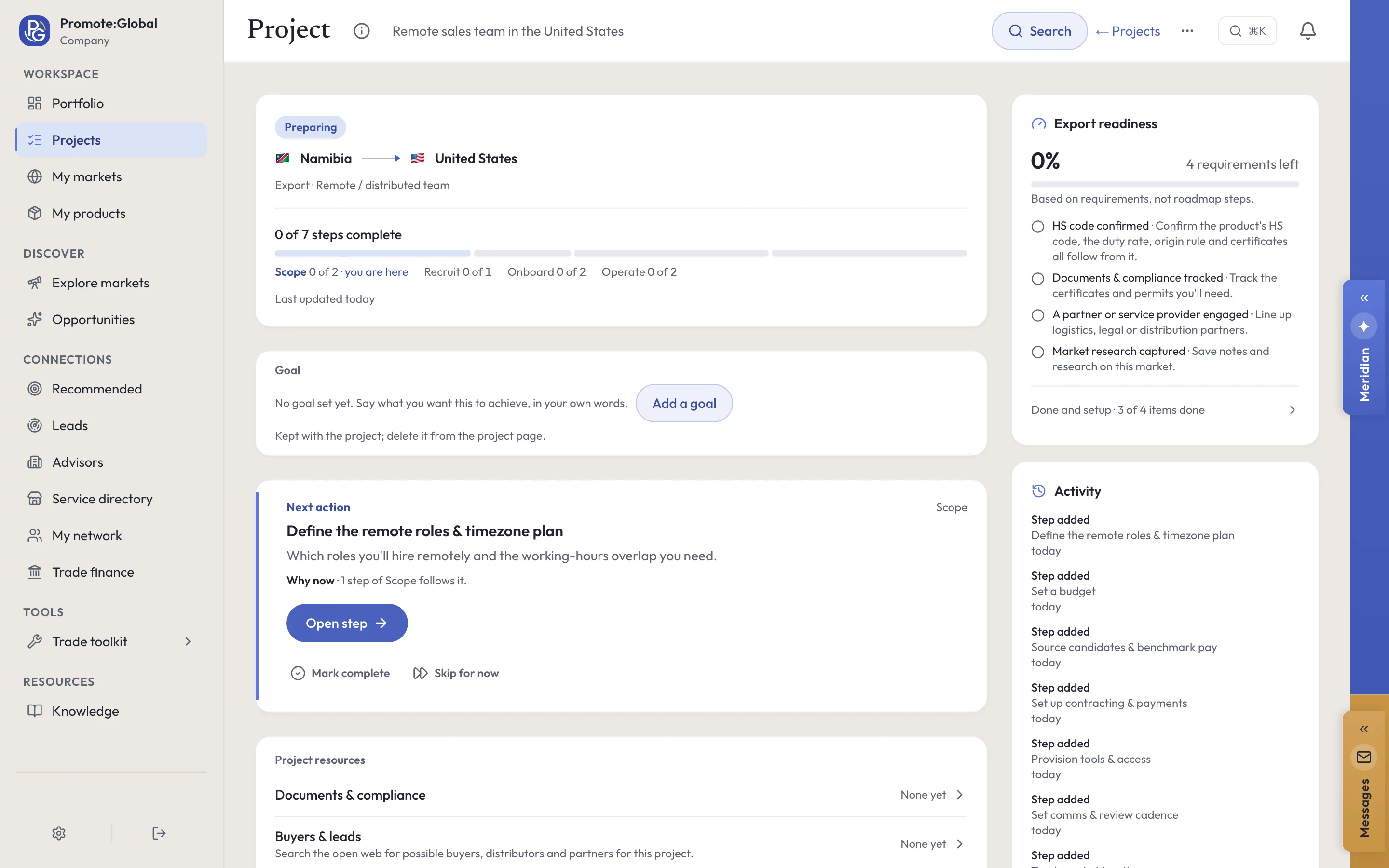
Meridian
Meridian, on your remote team project.
Meridian, the built-in AI assistant on the web and on iPhone, reads the project you have open: its route, its countries, the steps still open and your notes. It answers questions about them, and it proposes changes as cards. Nothing changes on the project until you accept a card. Ask it to search for possible partners and it runs the project’s search in the conversation, looking on the open web for recruitment or staffing agencies, for 1 AI action; every result is a lead to check.
Ask
- What’s the next step on this project?
- What’s blocking this project?
- Should these hires be contractors or employees?
Do
Add a step — to this plan, as a card you accept
Save a note — to the project
Set entry method — one of the eighteen routes, with its reason, if another fits you better
Every plan carries a monthly allowance of AI actions, and each question uses 1. Building the plan uses none, and neither do First hire. Meridian is AI. Verify before acting.
Documents
The paperwork.
- Contractor or employment agreement
- Written for the law of the person’s country, not your own.
- Intellectual property assignment and confidentiality agreement
- From employees and contractors alike, surviving the end of the contract2.
- Data transfer documents
- A data processing agreement, standard contractual clauses and a transfer impact assessment where data leaves the European Economic Area3,5.
- Classification note
- The facts and the local test for each person, such as the result of HMRC’s status tool in the UK7.
- Permanent-establishment assessment
- For anyone with sales, negotiating or signing authority4.
- Payment and payroll records
- Contractor invoices and tax forms; payroll records for employees.
- Remote work and relocation policy
- Hours, security, equipment, and the visa, tax and social security checks before anyone moves9.
Costs and timelines
What to budget for.
Get quotes for
- Local review of your contract templates
- One for contractors and one for employees, in each country. Moves with the number of countries and how far your templates differ from local law.
- An employer of record, for anyone who works like an employee
- The full employment cost in that country plus the provider’s fee, a deposit if it asks for one, and the cost of ending the employment. Moves with the country and the salary.
- Data transfer work
- Standard contractual clauses and a transfer impact assessment. Moves with the destination country and the data each person sees; the sources give no cost3.
- Tax advice
- Borderline classifications, withholding on payments to contractors abroad, and the review of roles with sales or signing authority. Moves with the countries and the roles4,7.
- Payments
- Transfer and currency charges on contractor payments. Moves with the payment method and the currencies.
- Remote-work visas, where someone relocates
- Each country sets its own fee and income threshold; Estonia publishes its own, so check the current figures before applying9.
What sets the timing
- Classification and the engagement choice, person by person, before you source anyone1.
- Before anyone starts: the contract, the intellectual property assignment and the data-access rules; for an employee through an employer of record, the provider’s contract as well.
- Transfer safeguards in place before any personal data from Europe is made available3,5.
- A visa before anyone relocates, where one is needed9.
Ask for each quote in writing, for your product, market and volumes. Prices and timings differ by country, provider and year.
Mistakes and best practices
What goes wrong, and what works.
Common mistakes
- Assuming the time difference is fixed: countries change their clocks on different dates, or not at all, so the overlapping hours move during the year.
Best practices
- Update the team register whenever anyone’s role, hours or country changes, so the classification and the tax review follow the facts.
- Offboard as carefully as you onboard: recover devices, close access, and confirm the intellectual property assignment covers the work delivered up to the last day2.
Questions
Questions people ask.
What is the difference between a contractor and an employee?
An employee works under your direction as part of your organization; a contractor runs their own business and delivers results with their own tools and independence. The ILO recommends deciding on the facts of how the work is done and paid, not on the contract’s label1.
Can I hire remote workers in another country without a legal entity?
Often yes, as genuine contractors or through an employer of record. Whether a contractor is genuine depends on the facts of the work, not on the contract1.
Does a remote worker create a permanent establishment for my company?
Sometimes: a person who habitually concludes contracts for you can, and in some circumstances so can a home office at your disposal4,8.
Do GDPR rules apply to my remote team outside the EU?
Yes, where personal data of people in the European Economic Area is made available to someone outside it: you need an adequacy decision or another transfer tool, such as standard contractual clauses3,5.
Who owns the intellectual property a remote contractor creates?
It depends on the country and the contract, and ownership often starts with the creator, so get a written assignment2.
Sources
Where this guide comes from.
- [1]Regulating the employment relationship in Europe: a guide to Recommendation No. 198 · International Labour Organization and European Labour Law Network, 2013
- [2]Grow by integrating IP into your business decisions · World Intellectual Property Organization
- [3]International data transfers (guide for small businesses) · European Data Protection Board
- [4]Model Tax Convention on Income and on Capital: condensed version · OECD, 2017
- [5]Rules on international data transfers · European Commission
- [6]Employee or independent contractor status: 2026 rulemaking · U.S. Department of Labor, Wage and Hour Division, 2026
- [7]Check employment status for tax · HM Revenue & Customs, GOV.UK, 2025
- [8]The 2025 Update to the OECD Model Tax Convention · OECD, 2025
- [9]FAQs about Estonia’s Digital Nomad Visa · e-Residency of Estonia, Government of Estonia
Reviewed October 26, 2026. This guide is general information about how companies do this, written in our own words from the sources above; it is not legal, tax or financial advice. Rules differ by country and change, so check them with the authority or an advisor before you act. What it says Promote:Global does is what the product does today. The screens on this page come from our demo workspace, and the companies in them are invented.
Read next
Related guides.
The next rung up
How to hire abroad without an entityLocal hire via EOR · People-led
- How to send employees abroad
Secondment · People-led
- How to set up a subsidiary abroad
Wholly-owned subsidiary · Investment / FDI
- How to find a sales agent abroad
Sales agent · Export-based
All eighteen guides Promote:Global for international expansion Plans and prices
Start your remote team project.
Sign up, add what you sell, then create a project and choose “Remote / distributed team” under “How are you entering?”. The plan above is written for your product and market.
Start this projectFree to start. No credit card needed. See plans and prices