
For advisories
You advise companies on crossing borders: market entry, buyer search, compliance, setting up abroad. Promote:Global gives your practice a client book, a place to scope and deliver assignments, and a storefront companies can find you through.
This guide covers the web console, where a practice does its day-to-day scoping, delivery, and reporting. Promote:Global also runs as an iPhone app, on the same account.
Your account and plan
An advisory practice is not a separate account type under the hood. It is a facilitator account whose organization is a consultancy. That is why the sidebar calls itself Advisory firm, and why your plan reports as Advisory.
Your plan follows from what your account is, not from anything your firm buys: it comes with multi-seat access, connections and matching turned on, and the full web console. There is no upgrade path, no paywall, and no billing section to look for, because there is nothing to buy.
Where things are
The web sidebar groups everything into four sections, and the grouping is the fastest way to learn the product:
- Overview — Dashboard, Clients, Impact & activity.
- Client work — Assignments, Questions, Client projects.
- Communication — Announcements, Responses, Messages.
- Firm — Firm profile, Knowledge, Team & firm, Settings.
Three destinations carry live badges: Assignments counts requests waiting on you, Questions counts the ones still unresolved, and Messages counts what is unread.
Your client book
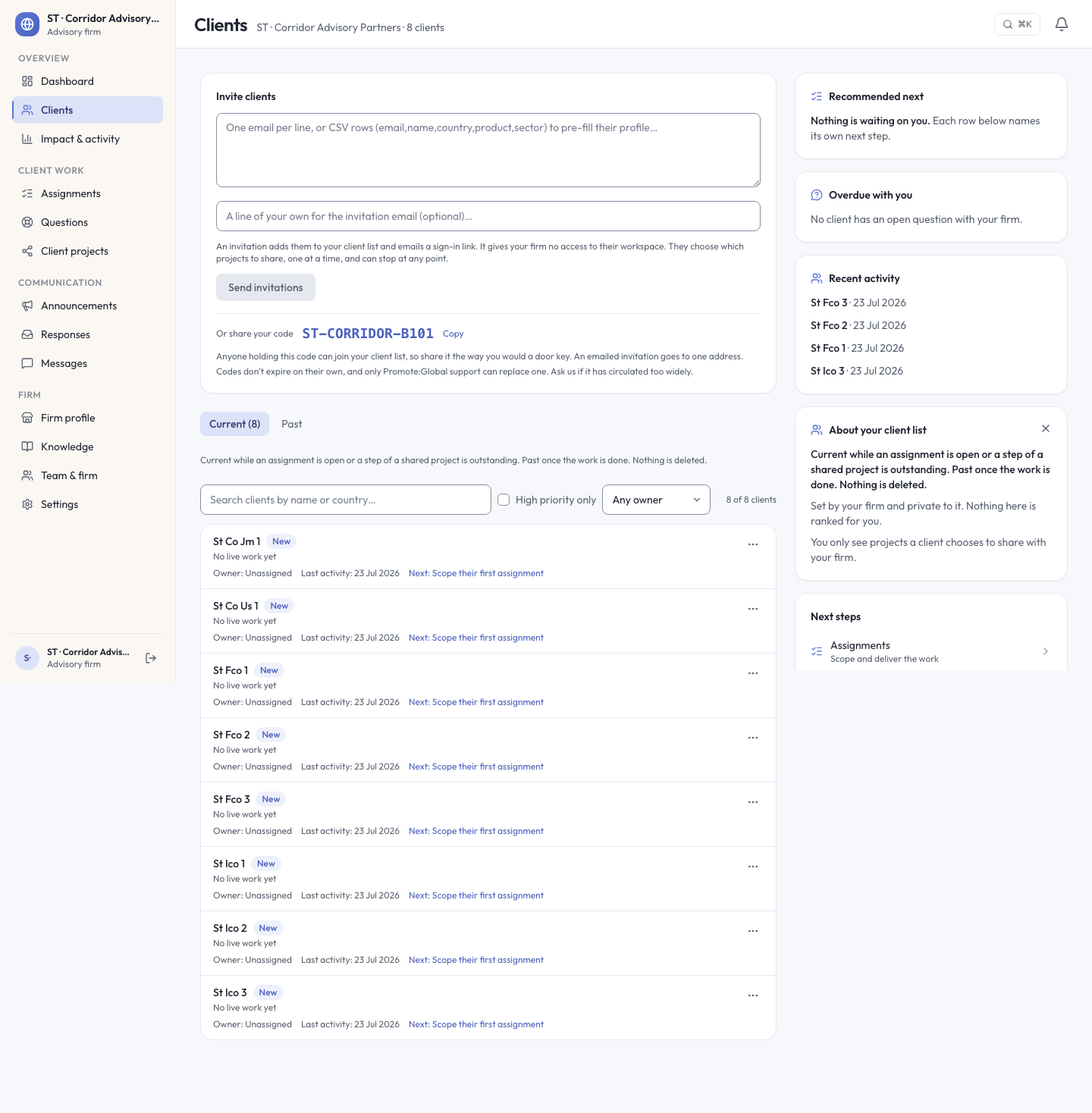
Clients opens with your firm’s name and a running count of who is on your book, split into two tabs (Current and Past), with the rule for which tab a client sits in stated right on the page: a client is current while an assignment is open or a step of a shared project is outstanding, and moves to past once the work is done. Nothing is deleted.
Each row carries the client, a standing, an Owner, the date of last activity, and a named next step that links straight to the page that does it (scope their first assignment, say). You can search by name or country, filter to high priority only, or filter by owner.
Two fields on a client are your firm’s alone: Priority, which you set and which the platform never ranks for you, and Owner, a record of who is looking after the relationship. Owner grants nothing. Anyone on your firm can still act on a client regardless of who owns it.
There are two doors for getting clients onto your book, and a third that runs through the directory. Invite someone directly, one email per line or CSV rows that pre-fill their profile with name, country, product, and sector, plus an optional note of your own. Sending the invitation emails them a sign-in link. The invitation gives your firm no access to their workspace. They choose which projects to share with you, one at a time, and can stop sharing at any point. The third door is the advisor directory itself: a company that finds your listed firm there can send a request directly, which lands as an assignment in Requested.
Every practice also has its own share code. Anyone holding it can join your client list, so treat it the way you would a door key: an emailed invitation goes to one address, but a code does not expire on its own, and only Promote:Global support can replace one that has circulated too widely.
Assignments
Assignments is your firm’s agreed work with a client. Companies see the deliverables checklist for each one in their own workspace, so what is on it is never a surprise on delivery day.
Four counters run across the top: requested, proposed, active, completed, over two tabs, Assignments and Requests & proposals. The lifecycle itself is five stages: Requested, a company asked, and you accept it or decline with a reason; Proposed, you have scoped it and put it back to them; Active, agreed and under way; Completed, delivered; or Closed, ended without that outcome.
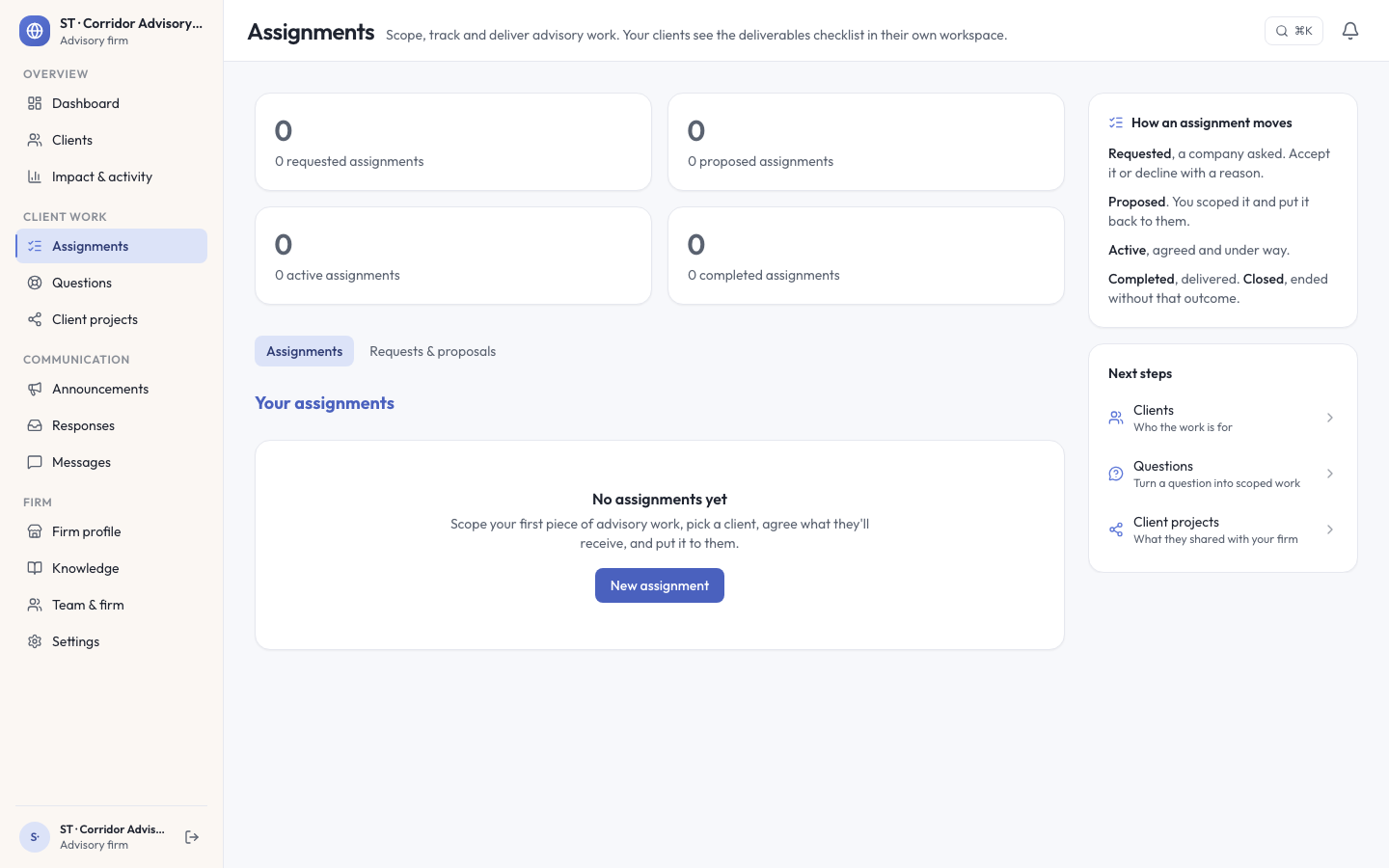
The vocabulary is deliberate. It is an assignment, never an engagement, everywhere in this console; project is reserved for the client’s own initiative, which is why a client’s shared work lives under Client projects rather than folded into this list.
Questions
Questions is where a client’s discrete asks land, separate from both assignments and direct messages. There are three states: Open, In progress, and Resolved, with in-progress questions still living under the Open tab, since it is a working state rather than a resting one.
One habit worth building around this: sending an answer does not resolve the question. The console says so on the reply itself. Resolving is a second, deliberate step, so a question cannot quietly fall through the cracks just because someone answered it once.
Your firm profile
Firm profile is your storefront, and it is edited only here. Your staff and administrative details live on Team & firm instead.
Six facts sit across the top of the page, and together they explain the whole model:
- Listing status — published or not.
- Directory discoverability — whether the listing can be found at all.
- Companies can find you — the practical result of the two above.
- Client requests — whether the directory can send you new work.
- Listing strength — a percentage score of how complete the profile is.
- Verification — whether Promote:Global runs a check on the firm. It reads Not offered, not unconfirmed: a different claim and the honest one.
Discoverability turned off, or a thin profile, can leave a firm published and still not listed: no company can find it in the directory, and no request can reach it. Requests are not queued for later. They are refused outright. Your own client list is unaffected either way: clients you invite yourself never depend on your directory presence.
Unlike a service-provider listing, which can carry a named agency’s vouch or a platform review, an advisory practice’s listing carries neither. Promote:Global runs no separate verification process for advisory listings, and the page says so directly. Nothing on a firm profile is taken on trust that should not be.
Listing strength is a weighted score, itemized so you can see what moves it: website and location, a description of the practice, and your markets and sectors are each worth 10%; services is worth 20%; team 10%; case studies 20%; how you work 10%. Every part of it is something you write on the page yourself, so a finished profile reads 100%. Work you have actually delivered through Promote:Global is tracked separately, below the score, and is earned only by delivering an assignment through the platform, not by anything you write here.
The editor has twelve tabs: Basics, Practice, Expertise, Services, Markets & corridors, Languages, Team, Case studies, Booking & contact, Branding, Visibility, and Preview, each marked empty until you fill it in. On Basics, a Tagline sits under your name on every directory card, and About your firm shows in full on your firm page and in three lines on the card. One save bar handles all of it: Preview, Pause listing, and Save changes.
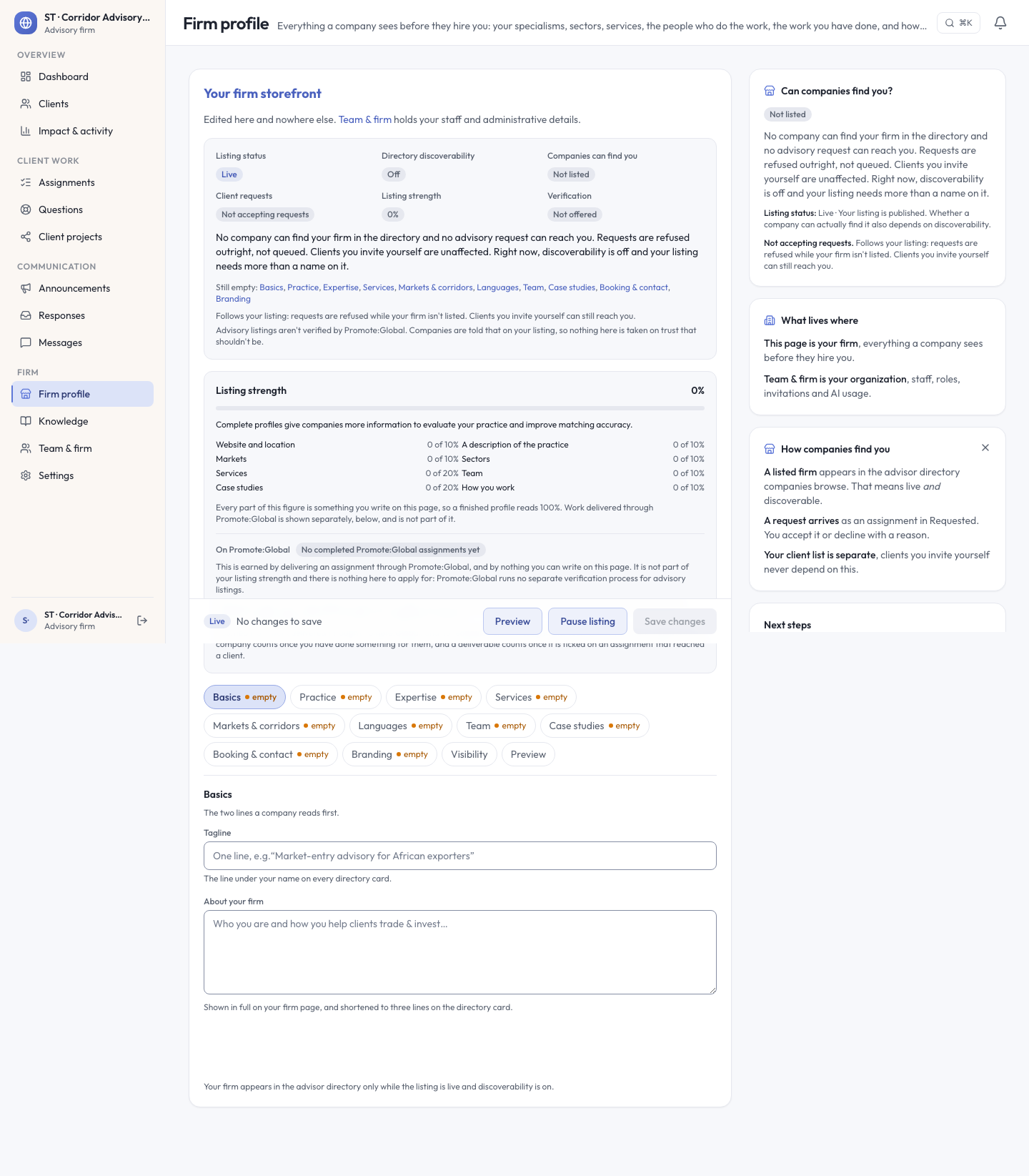
Your firm appears in the directory only while the listing is live and discoverability is on — both, not either.
See also: Providers & advisors for how a company finds and engages an advisor from their side.