
Your plan and usage
One meter covers every AI feature in the product, it resets at the start of each month, and the price of anything is printed on the control before you press it. Over 248 actions in a single day, the meter moved by exactly the amount printed, every time.
What an AI action is
An AI action is one call to a model, and it is the only thing that is metered. Everything else in the console is unlimited: creating projects, ticking steps, adding products, logging revenue, saving compliance items, sending messages.
These cost actions, at the prices printed on their own controls:
- a question to Meridian, from the dock or the workspace — 1;
- a Leads search — 1;
- a Demand explorer run — 1;
- an HS code suggestion — 2;
- Build my product profile — 3;
- Knowledge, the tool that answers from your own library — priced on its card.
These are free, and the toolkit index says so on every card:
- Export check, Origin qualifier, Landed cost;
- Where to invest, First hire, Export documents, Revenue tracker;
- Export readiness and Expansion readiness;
- Trade finance, including matching;
- composing a project plan when you create a project;
- re-opening a saved search, which reruns nothing and says so.
Two details worth knowing. Tool runs Meridian does on its own while answering you are marked Read-only: ran automatically, nothing saved to your workspace and are not charged on top of the question. And work you never accept costs you nothing beyond the action that produced it.
The meter
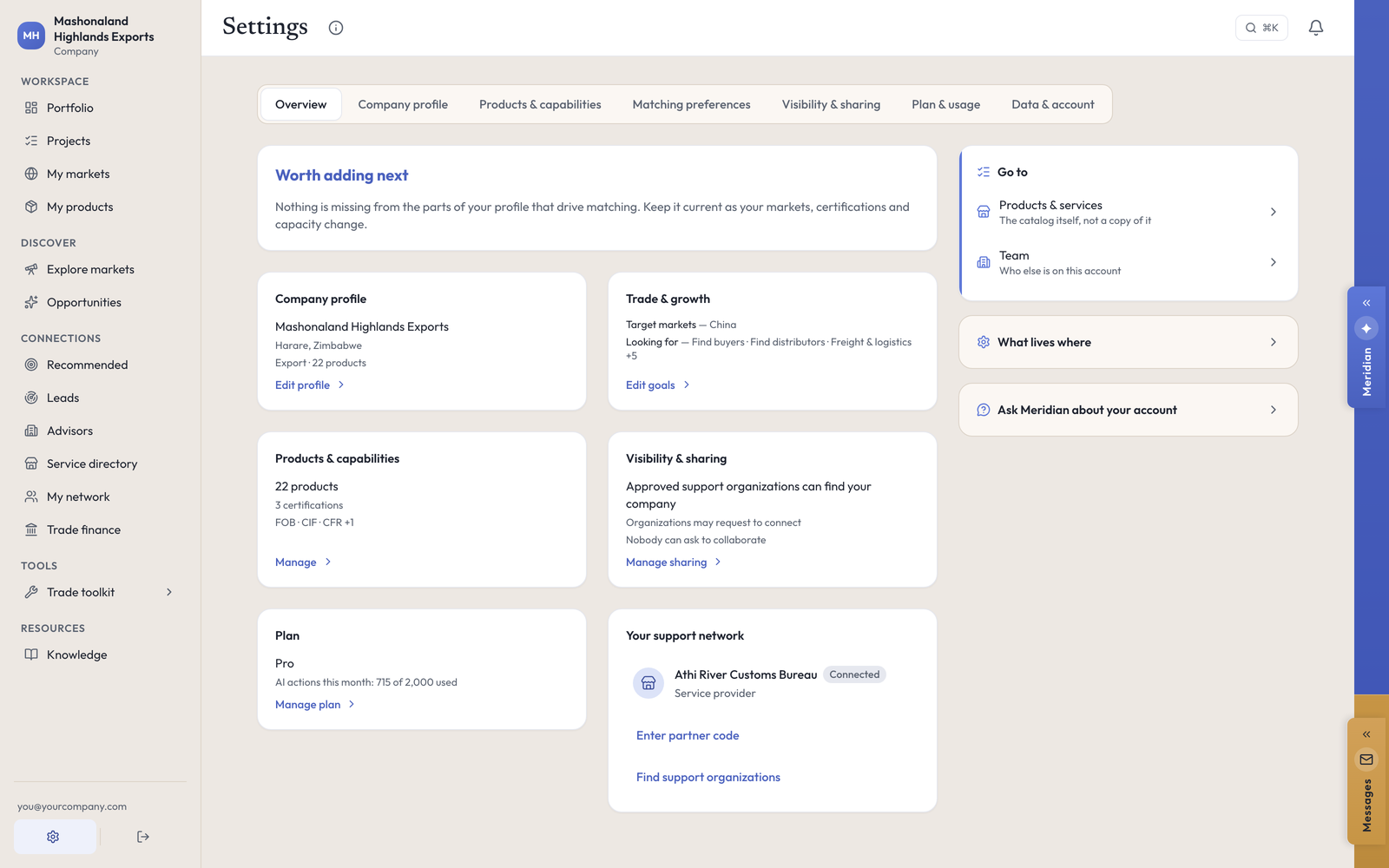
Settings → Plan & usage carries the live figure — 715 of 2,000 AI actions used this month — the date it resets, an explanation of what an AI action is, and a live count against each of your other limits: projects, markets and products, each showing what you hold and what your cap is. It also links out to billing.
The same remaining figure appears beside every priced control, so you rarely have to come here: Uses 1 AI action · 1,285 remaining.
The plans
Free starts with no card. It gives you 20 AI actions a month, 2 projects, 5 products, unlimited tracked markets, and the full web console. Introductions and connections are not included on Free.
Pro is what this run used. It sets no limit on projects, markets, products or seats, gives 2,000 AI actions a month, and turns introductions and matching on. Two thousand is a lot: fifty-five projects, twenty products, 226 questions to Meridian and every tool run in one full day of four people working the same account came to 248.
Solo sits between them, and Work is the shared-team account. Current prices for every plan are on Plans & billing. [not exercised — this run was on a staging account set to Pro directly. No purchase was made and the checkout was not opened.]
The web console is not gated by plan. A Free account reaches the same console as a Pro one. The plan changes the allowances, not the doors.
Billing
On the web, billing runs through Stripe, who process our payments. Settings hands off to a Stripe portal where you update your card, see invoices and cancel. In the iPhone app, buying is an in-app purchase through the App Store, and the two do not cross: a subscription bought in one place cannot be changed from the other. [not exercised — no payment, portal or purchase was opened on this run. A company account has no invoices page of its own; billing is the Stripe handoff.]
Promote:Global charges subscriptions and nothing else. There is no commission, no success fee and no percentage of any deal, engagement or financing you arrange through the platform.
If a page says something went wrong
There is a second limit, and it is not about AI. Your account can only read so many records in a ten-minute window, and that budget is shared across every browser tab you have open, everyone on the account, and the phone app syncing in the background.
When you cross it, a page can read Couldn’t load this project · Something went wrong on our side. It’s usually temporary. Nothing has gone wrong on anyone’s side, and nothing you saved is lost. Other faces of the same thing: a tool page saying part of it could not load, or a list showing fewer providers than usual.
What to do. Wait about a minute, then carry on. Back-off worked every single time on this run. Reloading repeatedly makes it worse, because each reload spends more of the same budget. If you are working a large account, keep one tab open rather than five, and do a bulk pass in one place rather than opening fifty project pages in ten minutes.
Your data
Settings → Data & account holds three things worth knowing about: your consent record read back to you, with a timestamp and the wording version for every choice; a JSON export of your data; and account deletion, which names exactly what it destroys and what survives before you confirm. [not exercised — the page was read; the export and the deletion were not run.] See Your data.
What to do next
- Spend your first actions on the two that pay back most: an HS suggestion on your main product, and one Leads search.
- Check the meter after a week to see what your real rate of use is before you pick a plan.
- Then go back to the work: Projects.